What it is
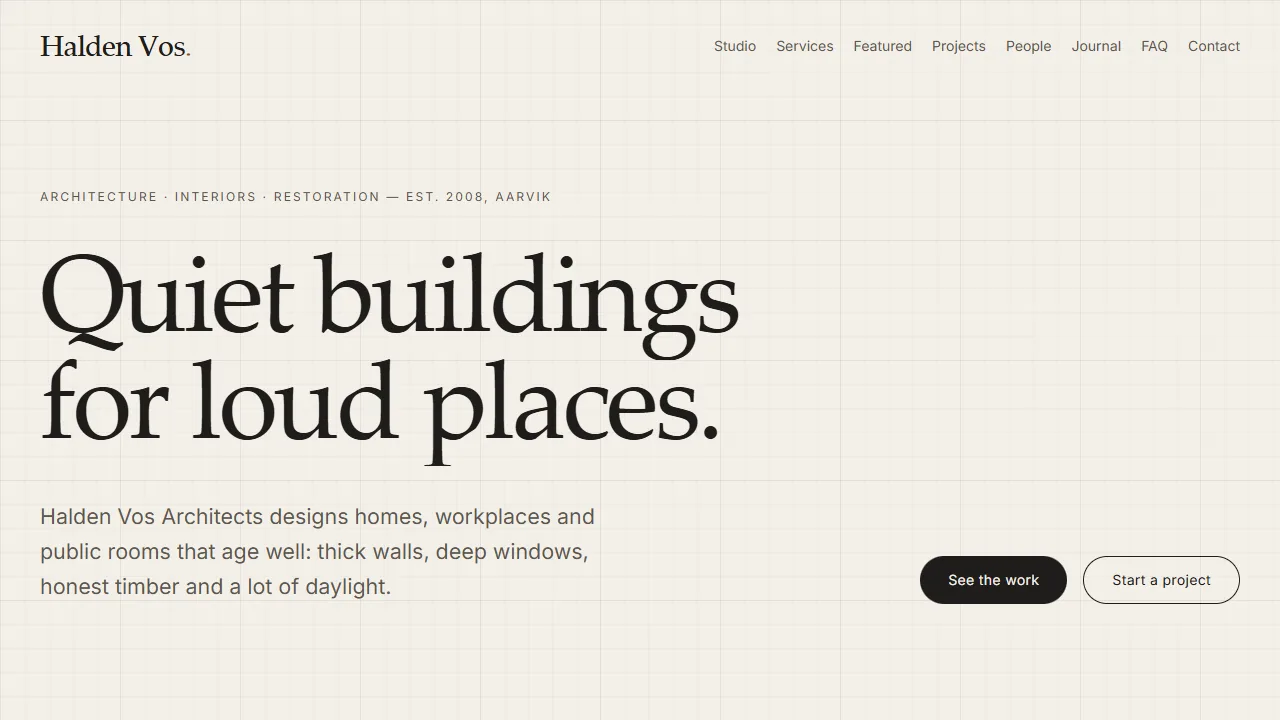
A landing page for Halden Vos Architects, a fictional architecture studio invented for this demo. Instead of showing motion techniques as isolated studies, each one does a real job on the page: the headline rises line by line, the call-to-action buttons lean toward the pointer, a facade drawing moves in layers as you scroll, a building section draws itself, a plan outline morphs to the chosen service, the project index filters and changes layout with Flip, the studio numbers count up, and the process steps arrive in sequence. Further down are a featured case study with a plan/section comparison slider and a material palette, a sketchbook grid, the team, fictional testimonials, a journal list, an FAQ accordion and a demo contact form. The page opens with a short line-drawn logo intro, a faint blueprint grid drifts behind the paper sections, and a thin strip under the site bar shows the current section and reading progress.
The studio, its projects, places, address and numbers (64 projects, 18 years, 72 % timber, 23 restorations) are all invented sample content, and so are the team members, the quotes (labelled as fictional on the page), the journal posts and the FAQ answers. The contact form sends nothing. They describe nobody and measure nothing. All drawings are SVG and CSS gradients written in code; there are no images.
Engineering decisions
- GSAP is the only animation engine. Every section uses
useGSAP with a scope, so tweens and ScrollTriggers are reverted on unmount or when the reduced-motion preference changes. - Flip, DrawSVG and MorphSVG are registered in
plugins.ts inside this experiment, so they ship in this experiment's chunk and on no other page. - The hero headline uses SplitText with line masks and
aria: "auto", so screen readers get the original sentence. It is an h2: the page h1 belongs to the site template and is visible at first paint. - Magnetic buttons and the pointer follower use
gsap.quickTo and run only for fine pointers (hover: hover and pointer: fine). Keyboard focus gets the normal outline. - The facade parallax is one scrubbed timeline, never pinned. The layers move for the first 80 % of the scroll range and rest for the last 20 %; the caption arrives after the movement.
- The section drawing is scrubbed with DrawSVG; the plan outline is the one place where path data is tweened (MorphSVG). Everything else animates only
transform and opacity. - Project filtering hides cards with the
hidden attribute and Flip animates the rest from their recorded positions, so hidden cards are never focusable. - Counters and bars have their final values in the HTML. Reveals use
opacity, never visibility, so content stays reachable for keyboard and assistive tech. - The discipline marquee is a CSS animation that only runs under
prefers-reduced-motion: no-preference; it is decorative and hidden from screen readers. - Styles are scoped in
bureau.module.css: a warm paper and concrete palette, one terracotta accent and a system serif stack, so no extra font is downloaded.
- The sketchbook is a plain grid whose sketches fade up in sequence; there is no sideways or nested scrolling (user's decision).
- The plan/section slider is a native range input, so it works with arrow keys and screen readers; the plan is revealed with a
clip-path set directly from its value, not tweened. - Testimonials crossfade with opacity only, never autoplay and switch instantly under reduced motion.
- The FAQ uses buttons with
aria-expanded and aria-controls; closed panels are inert. Their height tween is the second allowed exception to transform-and-opacity, because the content below has to move. - Team roles are revealed on hover or keyboard focus with a CSS opacity transition on fine pointers only; on touch they are always visible.
- Drawings carry architectural detail in code: hatching patterns, level markers, dimension lines, a north arrow and a scale bar.
- Intro: a plan logo draws with DrawSVG (0.8 s) and the sheet lifts away (0.35 s); the headline then rises. Any key or click skips it, and it never runs under reduced motion. The intro sheet uses
display: none once finished so it can never catch clicks. - The manifesto paragraph is split into words (SplitText,
aria: "none" because a <p> may not carry aria-label; plain word spans read as normal text) and each word's opacity is scrubbed with scroll. - Nav labels scramble on fine-pointer hover (ScrambleText, registered only in this chunk). Each link has an
aria-label, so the accessible name never changes mid-scramble. - Project thumbnails and the case-study hero wipe in with
clip-path: inset(). This is an allowed exception to transform-and-opacity: the thumbnails are small, and the hero wipe is scrubbed and short. - Project cards tilt toward a fine pointer (rotationX/Y via
quickTo) and a round "View" label follows the pointer over the grid. The native cursor stays visible and text selection is unaffected (the label has pointer-events: none). - Each card's title is a button that opens a native
<dialog>. The panel grows out of the clicked thumbnail (a FLIP from its rect: x, y, scaleX and scaleY); Esc, Close or a backdrop click close it, and focus returns to the card. - The facade has a time-of-day range input (6:00–20:30, arrow keys work). It moves the sun on an arc, skews the facade shadow on the ground and, at night, darkens the sheet and lights the windows. These are user-driven style changes, not tweens.
- The section-progress strip uses one scrubbed ScrollTrigger for the line (scaleX) and one ScrollTrigger per section for the label. It appears only after the hero, so it never covers the bureau header. Because it follows the scroll position, it also runs under reduced motion, without smoothing.
- The blueprint grid is a CSS background layer behind the content (the root isolates its stacking context) and moves with a scrubbed
y tween. - The footer wordmark fades up in outline, then its fill is wiped in by a scaled
clipPath rect. "Back to top" uses scrollToTarget, so it goes through Lenis when Lenis is on. - Arrange the loft (under the sketchbook): six furniture pieces on a 16 × 12 grid (0.5 m cells) can be dragged and thrown with GSAP Draggable + Inertia and snap to the grid; a dashed footprint shows where a piece will land. Draggable and InertiaPlugin are registered in
plugins.ts. Pieces are buttons: arrow keys move the focused piece one cell and a status line announces the new column and row; Reset tweens everything back. Only the pieces set touch-action: none, so the page still scrolls from the empty board. Positions are kept in grid units and re-applied on resize. - Drawings were refined: thumbnails have openings, mullions, roof details, trees and a figure for scale; the building section adds a door, windows with sills, a roof light, a tree and a sofa; the north arrow has a half-filled needle and tick ring; sketches gained construction lines, hatching and handwritten notes, and their main strokes draw in with DrawSVG on reveal. The plan outline now has an inner dashed wall line that morphs a beat later, plus axis ticks that pop in.
- Spacing: every section uses the same
py-24 md:py-32 rhythm and mt-14 after the section head (Numbers and the sketchbook were out of step). Sketch cards lift slightly on fine-pointer hover; the selected service slides in with an accent arrow.
Reduced motion
Under prefers-reduced-motion: reduce the headline is not split, the facade layers are static, the section is fully drawn, plan outlines switch without a transition, buttons and the follower stay still, filtering and view changes are instant, numbers show their end values, the process steps use a 0.2 s fade the marquee stands still, the sketchbook appears at once, quotes and FAQ panels switch instantly and the journal and swatches use a 0.2 s fade. There is no intro, no word highlight, no thumbnail or hero wipe, no tilt or View label, no grid drift and no wordmark animation; the dialog fades in 0.2 s and nav labels do not scramble. The plan board has no inertia, press lift or tweens: pieces drop straight onto the grid and keyboard moves and Reset are instant. Sketch strokes appear fully drawn and cards do not lift.