Open an MD file online with a Markdown viewer and editor
Press Open .md file or drop one on the panel and read it formatted, with a contents list and sepia or black pages. Edit with a toolbar and a live preview, tick checklists in the preview and download the result. The file is read in your browser and never uploaded. Below: how to open .md files on Android, Windows, Mac and iPhone, a cheat sheet and the limits. The free Android app edits files in place and adds LaTeX and Mermaid.
Markdown viewer and editor
Open an .md file or write here. The file never leaves your browser.
Project roadmap
Q4 plan for the mobile app. Owner: Design & Dev team. Edit this text and the preview follows.
Milestones
| Milestone | Due | Status |
|---|---|---|
| Beta release | Oct 20 | Done |
| Offline sync | Nov 5 | In progress |
| Public launch | Dec 1 | Planned |
This week
Finalize onboarding screens
Fix dark mode contrast
Write release notes
Record the demo video
Ship small, ship often.
Release flow
Merge to
mainTag the build
Upload to the store
npm run build && npm run releaseMore at the Markdown guide or jump to Milestones.
Tip: drop an .md file anywhere on this panel. Tick a box in the preview and the source updates.
Your .md files on your phone
This page is a quick viewer. The Android app opens .md files straight from other apps, edits them where they are and works offline:
- Opens .md and .markdown files from your file manager, browser, email or chat with Open with or Share
- Clean preview with headings, tables, quotes, images, links and task lists; tap a checkbox and the file saves
- LaTeX math and Mermaid diagrams, plus syntax highlighting for code blocks
- Edits the original file in place, and links a whole folder such as Downloads or an Obsidian vault
- Editor with Edit, Preview and Split views, a formatting toolbar, list continuation, undo and redo
- Table of contents, find in document, reading progress, serif font, sepia or black page
- Folders, tags, pinned and recent files, search, and a 30-day trash with undo
- Export to PDF and HTML, share the file or copy the source
- Light, dark and AMOLED themes; works offline with no account

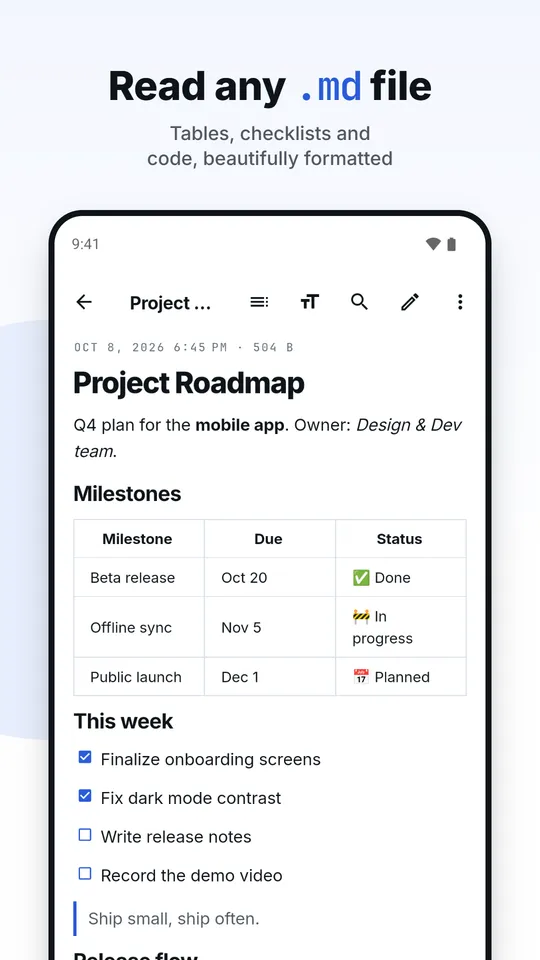
Read any .md file 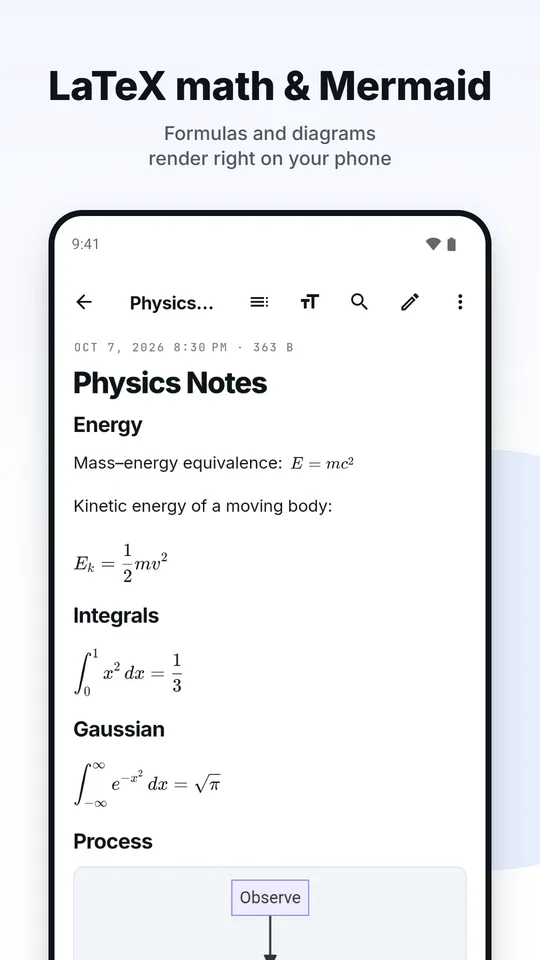
LaTeX math and Mermaid 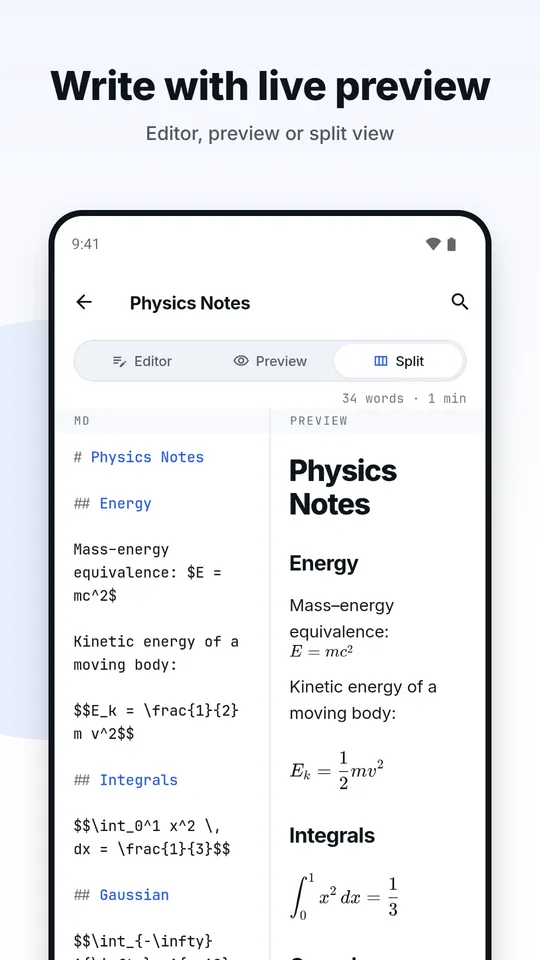
Write with a live preview 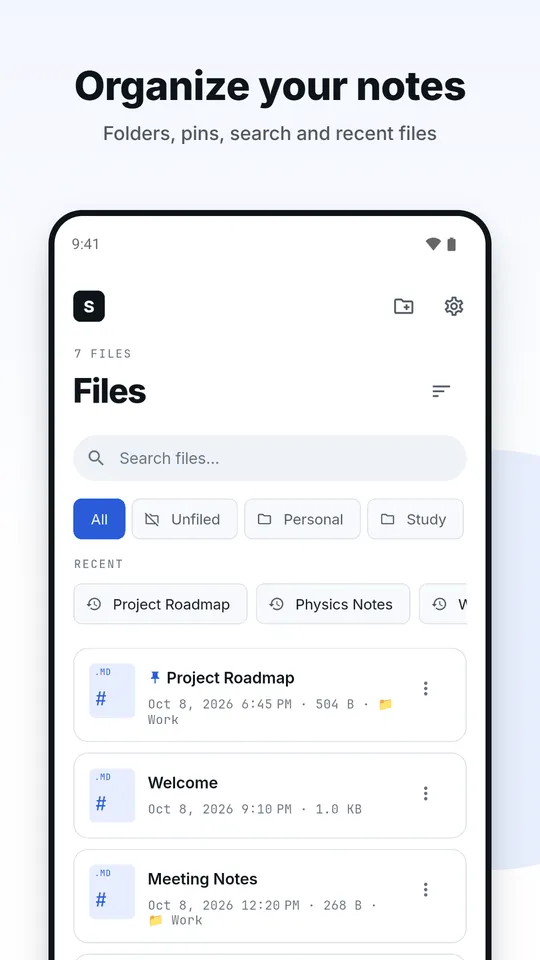
Organize your notes 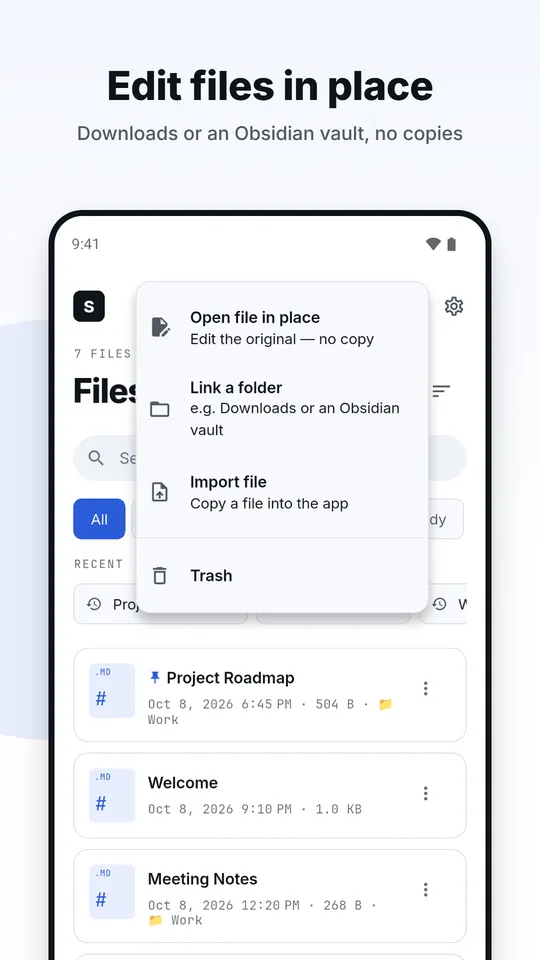
Edit files in place 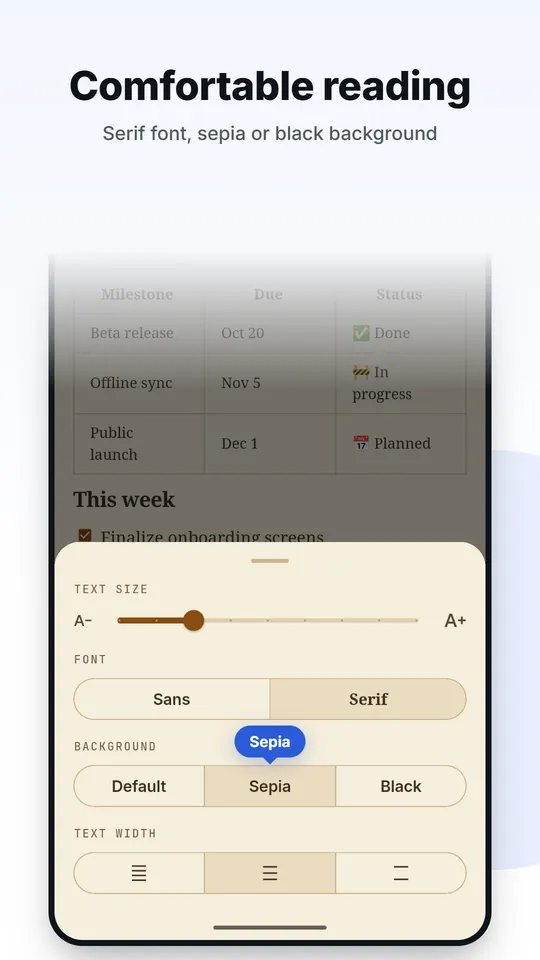
Comfortable reading 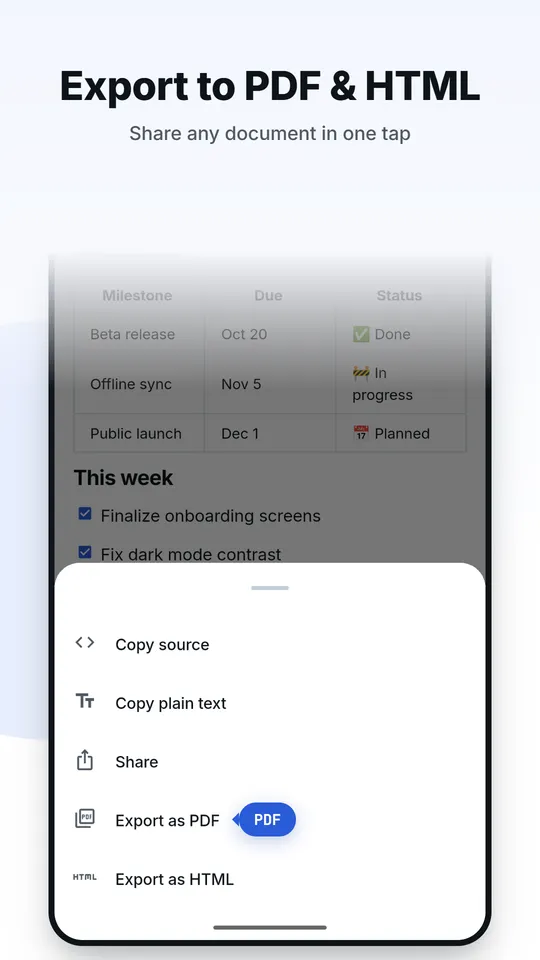
Export to PDF and HTML 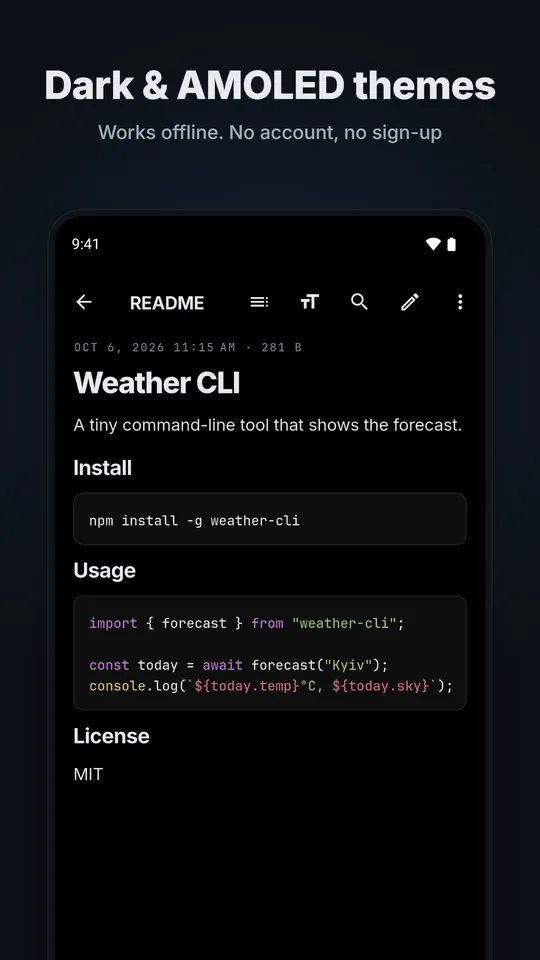
Dark and AMOLED themes
What is an .md file?
An .md (or .markdown) file is a plain text file written in Markdown, a way of marking up text with a few symbols: a # for a heading, stars for emphasis, a hyphen for a bullet. John Gruber created Markdown in 2004 so that notes would read well as raw text and still convert cleanly to HTML. README files, project documentation, many blogs and note apps such as Obsidian use it.
Because it is plain text, any text editor can open an .md file. What a text editor will not do is show it formatted. A Markdown viewer turns the symbols into headings, lists, tables and links, which is what the preview above does. A Markdown editor adds a toolbar and a live preview so you can write the file too.
How to open an .md file
- In the browser, on any device: press Open .md file above, or drop the file onto the panel. It is read on your device and not uploaded, and you can edit it, tick its checklists and download the result.
- Windows, macOS and Linux: any text editor shows the raw text. In Visual Studio Code the Markdown preview opens with Ctrl+Shift+V (Cmd+Shift+V on a Mac), which the VS Code Markdown documentation describes.
- Android: a file manager or the browser will offer Open with. A Markdown app registers for .md files so the file opens formatted straight from Downloads, email or chat. The free Markdown Reader & Editor app below does this and edits the file where it lives.
- iPhone and iPad: the Files app shows an .md file as plain text. Open it with a Markdown app, or use this page in Safari.
- Word processors: a program such as Word will open the file as text, so you see the symbols and not the formatting. Use a viewer to read it, or export to PDF or HTML to send it on.
Markdown cheat sheet
The syntax most files use, with what each line becomes. The preview above supports all of it.
| You type | You get | Note |
|---|---|---|
# Title | Title (largest heading) | One to six # signs, then a space |
**bold** | bold | Two stars or two underscores |
*italic* | italic | One star or one underscore |
~~gone~~ | Strikethrough, a GitHub extension | |
`code` | code | Backticks around inline code |
[text](https://example.com) | text | Link: text in brackets, address in parentheses |
 | A picture with a text description | A link with a ! in front |
> quote | A quoted passage | Greater-than sign and a space |
- item | • a bullet point | Also * or +; indent two spaces to nest |
1. item | 1. a numbered item | The numbers count up by themselves |
- [ ] task | ☐ an open task, ☑ when [x] | Task list, a GitHub extension |
--- | A horizontal rule | Three hyphens, stars or underscores on their own line |
Put a blank line between paragraphs. A single line break inside a paragraph is joined with a space; end a line with two spaces to force a break. To show a symbol literally, put a backslash before it: \*not italic\*.
Tables, task lists and code blocks
A table is rows of cells split by pipes, with a line of hyphens under the header. Colons in that line set the alignment: :-- left, :-: center, --: right.
| Item   | Qty |  Price |
| :----- | :-: | -----: |
| Pens   |  3  |   4.50 |
| Paper  |  1  |  12.00 |
A task list is a bullet list whose items start with [ ] or [x]. In the preview above you can tick a box and the file updates, which makes a Markdown file a perfectly good to-do list. A code block is a pair of lines with three backticks, with the language name after the first one if you want it noted.
Why a file can look different elsewhere
Gruber's original description left corner cases open, so several flavours grew up. CommonMark is a strict specification of the core syntax. GitHub Flavored Markdown builds on it and adds tables, task lists, strikethrough and automatic links. Some tools add more, such as footnotes, math or diagrams.
This page covers the CommonMark core plus tables, task lists and strikethrough. If a file uses something beyond that, such as LaTeX formulas, Mermaid diagrams, footnotes or raw HTML, the preview shows it as plain text rather than guessing.
What this page does not do
- Images are not loaded. A picture in your file appears as a labelled placeholder, so opening a file never makes a network request to a third party.
- HTML inside the file is shown as text, never run.
- No LaTeX, no Mermaid, no code highlighting and no footnotes. The Android app renders LaTeX math and Mermaid diagrams and highlights code.
- Files over 2 MB are refused to keep the page responsive.
- It does not save back to the original file. Use Download, or the app on Android, which can save changes in place.
Keyboard shortcuts in the editor
| Keys | Action |
|---|---|
| Ctrl or Cmd + B | Bold the selection |
| Ctrl or Cmd + I | Italic |
| Ctrl or Cmd + K | Insert a link |
| Ctrl or Cmd + Z | Undo |
| Ctrl + Y, or Ctrl or Cmd + Shift + Z | Redo |
| Enter in a list | Starts the next item, or ends the list on an empty one |
Privacy: where your text goes
Nowhere. The page reads your file in the browser, and the preview is drawn on your device. A draft is kept in this browser's local storage so a refresh does not lose it. Press New to clear the editor, and clear the site data in your browser settings to remove the saved draft.
Looking for more tools in the same spirit? See the free in-browser tools, or the studio's other apps on the Apps page.
Questions
How do I open an .md file?
Any text editor opens it as plain text. To read it formatted, use a Markdown viewer such as the one on this page: press Open .md file or drop the file onto the panel. On Android, a Markdown app can open it from your file manager.
How do I open an .md file on Android?
Tap the file in your file manager or browser downloads and choose a Markdown app from the Open with list. The Android app on this page registers for .md and .markdown files and can edit them in place.
Is my file uploaded when I open it here?
No. The page reads the file in your browser and draws the preview on your device. A draft is kept in this browser's local storage so a refresh does not lose it, and New clears the editor.
What is the difference between Markdown and GitHub Flavored Markdown?
Markdown is the plain-text format; CommonMark is its strict specification. GitHub Flavored Markdown builds on CommonMark and adds tables, task lists, strikethrough and automatic links.
Does it support LaTeX math and Mermaid diagrams?
Not on this page: they show as plain text. The Android app renders LaTeX formulas and Mermaid diagrams such as flowcharts and sequence diagrams in the preview.
Can I edit the original .md file instead of a copy?
In the browser you edit a copy and use Download to save it. The Android app can open a file in place and save changes straight to the original, or link a whole folder such as an Obsidian vault.
Is the Markdown app free?
Yes. It is free with ads, needs no account and works offline. One short video turns the ads off for 10 minutes.

Read and write Markdown anywhere
Free on Android, with ads. No account and no cloud: your files stay on your device, and one short video turns the ads off for 10 minutes.
Facts from the Google Play listing, last checked .