Tile calculator: how many tiles you need, with waste and grout
Enter the room or wall, the tile size and the pattern, and the calculator below gives the tiles and boxes to buy with the right waste allowance, plus grout and adhesive, and draws the layout as you type. The free Android app goes further: it lays out every tile around doors and windows, marks thin cuts and shows the room in 3D.
Tile calculator
7.68 m² to tile + 13% waste · 8.82 m² of tile · 7 spare in the last box
- Grout (cement)
- 1.2 kg ≈ 1 × 2 kg bags
- Adhesive (12 mm notch, back-buttered)
- 51 kg ≈ 3 × 25 kg bags
Estimates by area with average rates. Check the tile size printed on the box and the grout and adhesive maker's coverage chart.
Plan every tile, not only the count
This page counts tiles by area. The Android app draws your room with its door, window or bathtub, lays the tiles out in 2D and 3D, balances the cuts and gives a cut list and a PDF estimate, offline:
- Straight, offset 1/2, 1/3 and 1/4, diagonal 45 and herringbone patterns
- Start from a corner, from the centre or from your own line; balance cuts so both sides get an equal cut instead of a thin strip
- Thin slivers marked in red, a cut list with the size of every cut tile, and up to 3 layouts compared side by side
- Rectangular and L-shaped rooms; doors, windows, niches and bathtubs subtracted for you
- Different tiles for floor and walls, border, decor row and skirting bands
- Grout and adhesive by trowel notch, primer, waterproofing, spacers, levelling clips and cost from your price per box
- 3D room view: turn and zoom, tap any tile to see its cut size
- Tiling guide with 34 short lessons, quizzes and a glossary; PDF estimate with a plan of every surface

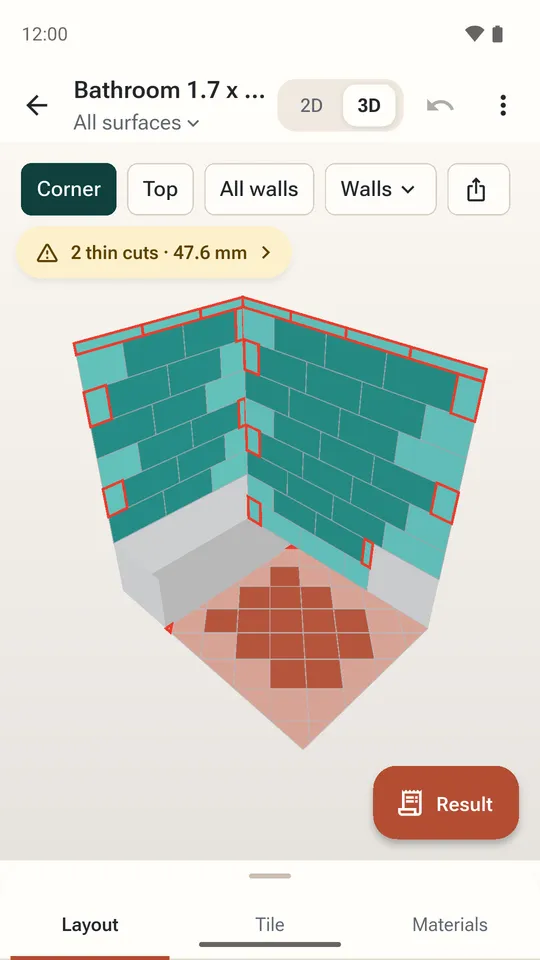
Floor and walls in 3D 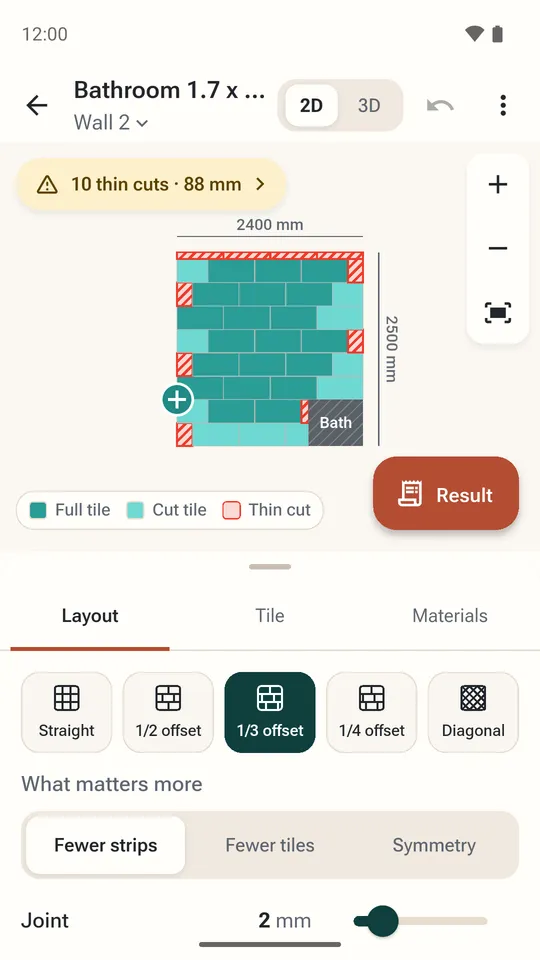
Wall layout around the bath 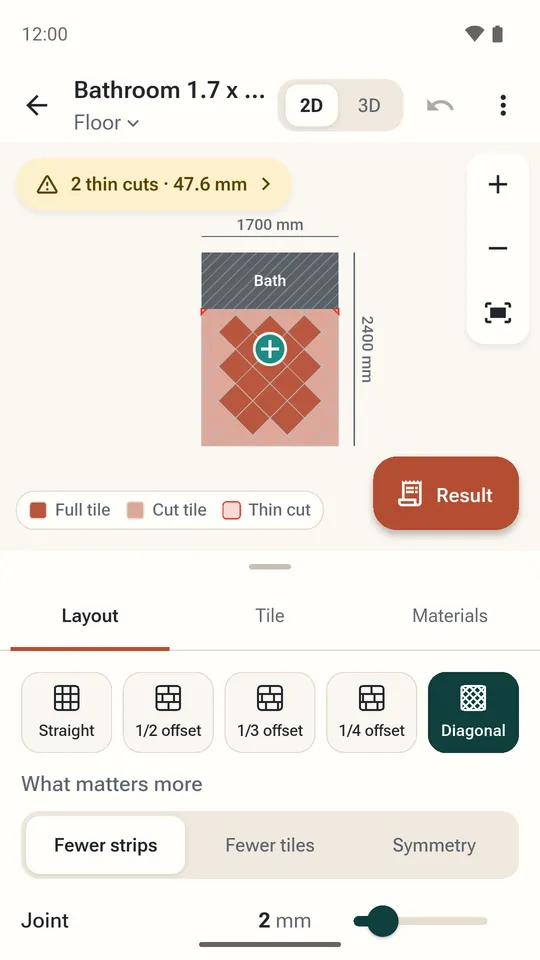
Diagonal floor, cuts marked 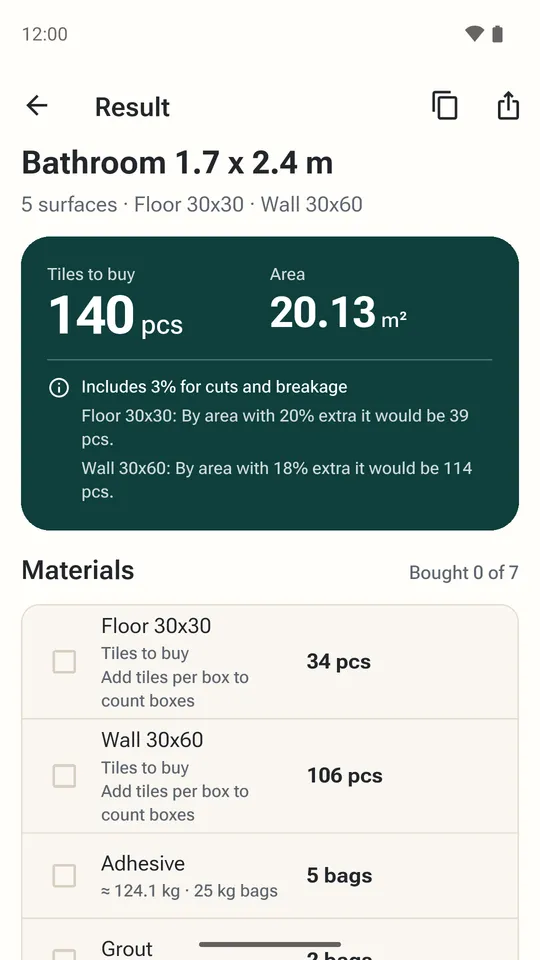
Tiles, boxes and materials 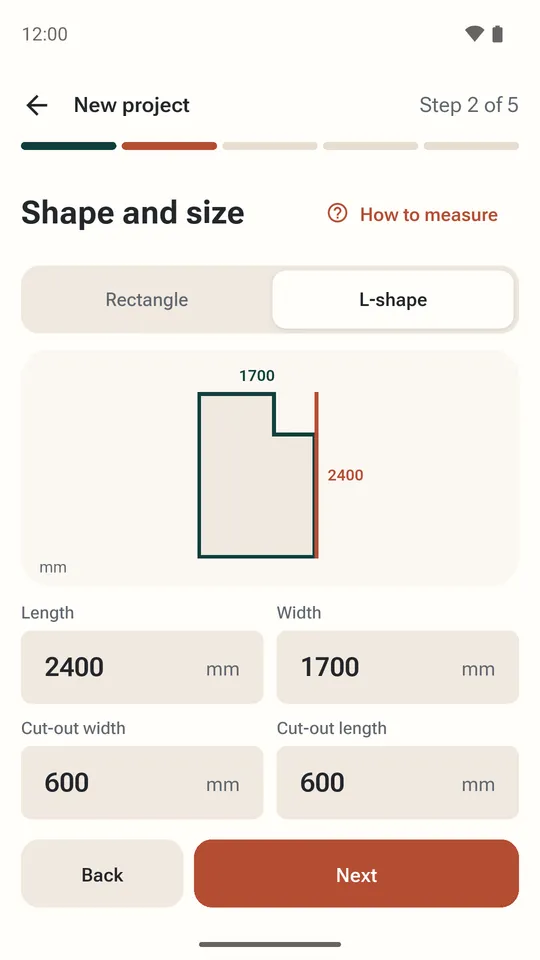
Rectangular and L-shaped rooms 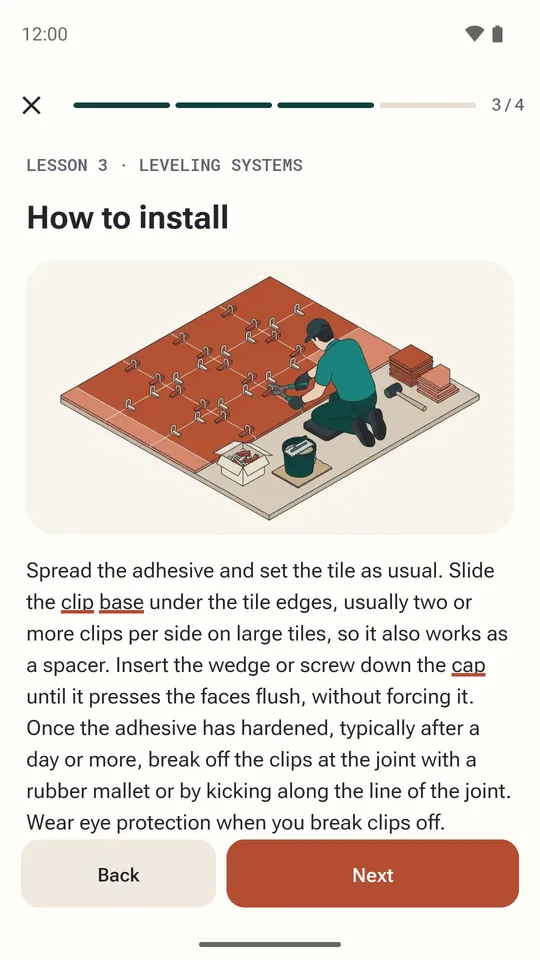
Tiling lessons 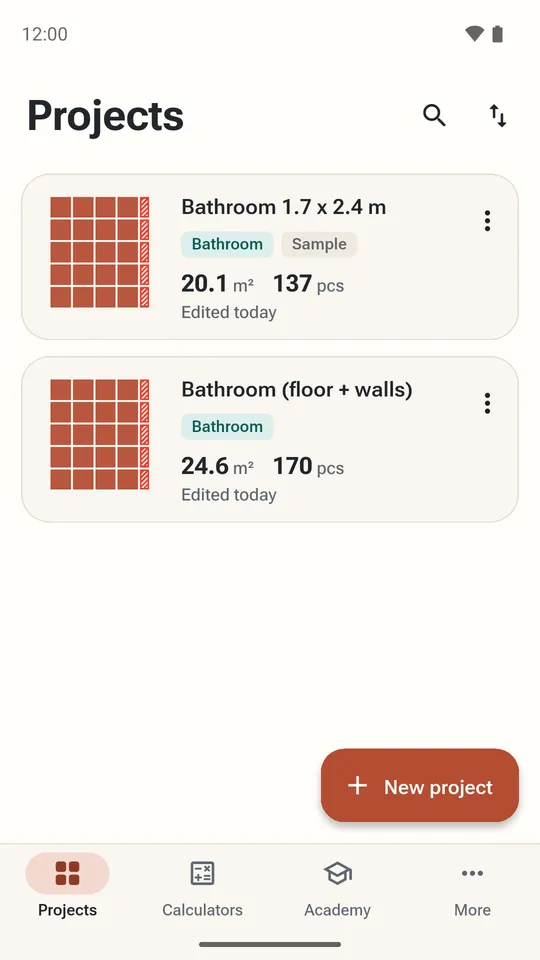
Projects saved on your phone
How many tiles do I need?
Divide the area you are tiling by the area of one tile, add a waste allowance for cuts and breakage, and round up to whole tiles and then to whole boxes:
tiles = area ÷ (tile length × tile width) × (1 + waste %)
Work in one unit: square metres with the tile in metres, or square feet with the tile in feet (a 12 × 24 in tile is 1 × 2 ft, 2 ft²). The calculator above takes the tile size without the joint, the way the size is printed on the box, so the joint adds a little hidden spare.
How to measure a floor or a wall
- Measure in two places. Rooms are rarely square: measure the length and the width at both ends and use the larger number of each.
- Split odd shapes into rectangles. An L-shaped room is two rectangles; work out each and add them. Use the calculator once per rectangle, or add the areas and enter them as one length × 1 m (or 1 ft).
- Walls: width × tiled height. Measure each wall separately, up to where the tile stops, not to the ceiling if you tile only half way.
- Leave out what you will not tile. Subtract doors, windows, a bathtub or a fitted cabinet (width × height of each), but not small things like a pipe or a socket.
- Floor under a vanity or toilet. Tile under a freestanding toilet and under anything you may move later; leave out only fixed built-in units.
How much extra tile to buy for waste
Every row ends in a cut, and some tiles crack while you cut them. The more the pattern turns away from the walls, the more offcuts you throw away. These are the default allowances the Tile Calculator app uses (Auto in the calculator above):
| Layout | Add |
|---|---|
| Straight (stacked) grid, hexagons | 7% |
| Offset (brick, 1/2, 1/3 or 1/4) | 10% |
| Diagonal 45°, herringbone, chevron | 15% |
| Mosaic or natural stone | 20% |
| Room under 4 m² (43 ft²) or with many openings | +5% |
| Tiles with a side of 600 mm (24 in) or more | +3% |
Keep at least a few spare tiles after the job. Tiles of the same name are made in batches (lots) whose shade differs slightly, so a tile bought two years later to replace a cracked one may not match.
Tiles per square metre and per square foot
Without joints, the number of tiles that cover one unit of area for common sizes:
| Tile, mm | Tiles per m² |
|---|---|
| 100 × 100 | 100 |
| 75 × 150 | 88.89 |
| 200 × 200 | 25 |
| 300 × 300 | 11.11 |
| 600 × 300 | 5.56 |
| 600 × 600 | 2.78 |
| 1200 × 600 | 1.39 |
| Tile, in | Tiles per 10 ft² |
|---|---|
| 4 × 4 | 90 |
| 3 × 6 | 80 |
| 6 × 6 | 40 |
| 12 × 12 | 10 |
| 12 × 24 | 5 |
| 24 × 24 | 2.5 |
| 24 × 48 | 1.3 |
Check the real size on the box. The name is a nominal size: a tile sold as 30 × 60 cm can measure a few millimetres less, such as 298 × 598 mm, and a 30 × 60 cm tile is often sold as 12 × 24 in although it is about 11.8 × 23.6 in. Over a long wall the difference adds up.
How much grout do I need?
Grout fills the joints, so the amount depends on the joint width, how deep the joint is (about the tile thickness) and how many joints there are per square metre. Small tiles have many more joints than large ones:
grout, kg/m² = (A + B) ÷ (A × B) × depth × joint × density × 1.1
A and B are the tile sides, depth and joint in mm; cement grout has a density of about 1.6 kg/dm³, and 1.1 adds 10% for what stays on the float and the sponge. Results for common tiles:
| Tile, mm (thickness) | 2 mm joint | 3 mm joint | 5 mm joint |
|---|---|---|---|
| 100 × 100 (7 mm) | 0.49 | 0.74 | 1.23 |
| 200 × 200 (8 mm) | 0.28 | 0.42 | 0.7 |
| 300 × 300 (8 mm) | 0.19 | 0.28 | 0.47 |
| 600 × 300 (9 mm) | 0.16 | 0.24 | 0.4 |
| 600 × 600 (10 mm) | 0.12 | 0.18 | 0.29 |
| 1200 × 600 (10 mm) | 0.09 | 0.13 | 0.22 |
Epoxy grout is a little lighter per litre and is sold by volume or in kits; follow the maker's coverage chart for it.
Tile adhesive and trowel notch
The bigger the tile, the bigger the trowel notch and the more adhesive per square metre. The calculator picks the notch from the longest tile side and uses these average rates for cement adhesive:
| Longest tile side | Notch | Adhesive |
|---|---|---|
| up to 100 mm (4 in) | 4 mm | ≈ 1.7 kg/m² |
| up to 200 mm (8 in) | 6 mm | ≈ 2.5 kg/m² |
| up to 300 mm (12 in) | 8 mm | ≈ 3.4 kg/m² |
| up to 450 mm (18 in) | 10 mm | ≈ 4.2 kg/m² |
| over 450 mm | 12 mm | ≈ 5.1 kg/m² |
Tiles over 450 mm are also back-buttered (a thin coat on the back of the tile) for full contact, which adds about 30%. Rates differ between products: the bag tells you its own.
Worked examples
A 3.2 × 2.4 m bathroom floor, 60 × 30 cm tiles, brick pattern
- Area: 3.2 × 2.4 = 7.68 m². One tile: 0.6 × 0.3 = 0.18 m².
- Tiles without waste: 7.68 ÷ 0.18 = 42.67.
- Waste: 10% for an offset pattern plus 3% for a 600 mm tile = 13%.
- 42.67 × 1.13 = 48.21, round up to 49 tiles; with 8 per box that is 7 boxes (7 spare).
- Grout with 2 mm joints and 9 mm tiles: about 1.2 kg. Adhesive with a 12 mm notch and back-buttering: about 51 kg, 3 bags of 25 kg.
A 12 × 10 ft room, 12 × 12 in tiles, straight
- Area: 120 ft². Each tile is 1 ft², so 120 tiles cover it exactly.
- Add 7% for a straight layout: 128.4, round up to 129 tiles, or 13 boxes of 10.
Common mistakes when buying tile
- Buying the exact area. Without a waste allowance you will run short on the last row, and the shop may no longer have the same batch.
- Rounding tiles, not boxes. Most shops sell whole boxes only; divide by tiles per box (or m² per box) and round up again.
- Mixing units. Square metres with a tile in centimetres gives an answer 10,000 times off. Convert everything first.
- Forgetting the pattern. Diagonal and herringbone floors cut a tile at every wall; budget about 15%, not 10%.
- Thin slivers at the walls. A strip of a few centimetres looks bad and breaks easily. Plan the layout from the centre or shift it so both sides get an equal cut; this is what the app's layout planner does.
- Not checking batch numbers. Buy all boxes from the same lot and open a few before you start to compare the shade.
Questions
How many tiles do I need for 100 square feet?
With 12 × 12 in tiles, 100 tiles cover 100 ft² exactly; add 7% for a straight layout and buy 107. With 12 × 24 in tiles it is 50 plus waste, 54 for an offset pattern.
How much extra tile should I buy?
About 7% for a straight grid, 10% for an offset or brick pattern and 15% for diagonal or herringbone. Add more for a small room with many cuts, for large tiles and for mosaic or natural stone.
How many tiles are in a square metre?
Divide 1 by the tile area in m²: 11.1 tiles of 30 × 30 cm, 5.6 of 60 × 30 cm and 2.8 of 60 × 60 cm, before joints and waste.
How much grout do I need?
It depends on the tile size, joint width and depth. For 60 × 30 cm tiles 9 mm thick with 2 mm joints it is about 0.16 kg per m²; 10 × 10 cm tiles with 3 mm joints need about 0.7 kg per m². The calculator works it out for your tile.
Should I include the grout joint in the tile size?
You can, and it gives a slightly lower count. This calculator uses the size printed on the box without the joint, which leaves a little extra on top of the waste allowance.
How do I calculate tiles for a shower or bathroom wall?
Measure each wall as width × tiled height, subtract the door, window and bath, and add the walls together. Use the Wall setting above once per wall or for their total area.
Is the Tile Calculator app free?
Yes. It is free with ads, works offline and needs no account. Ads never appear on the layout or in a lesson while you work.

Take the layout to the shop and the site
Free on Android, with ads that never cover the layout. No account; projects stay on your phone. Metric and imperial units.
Facts from the Google Play listing, last checked .