Scroll image sequences on a budget
How a scroll-driven watch page loads 330 frames per size, with tiered downloads and a byte-bounded decode cache, and what 44 MB of frames cost.
· Updated · 4 min read
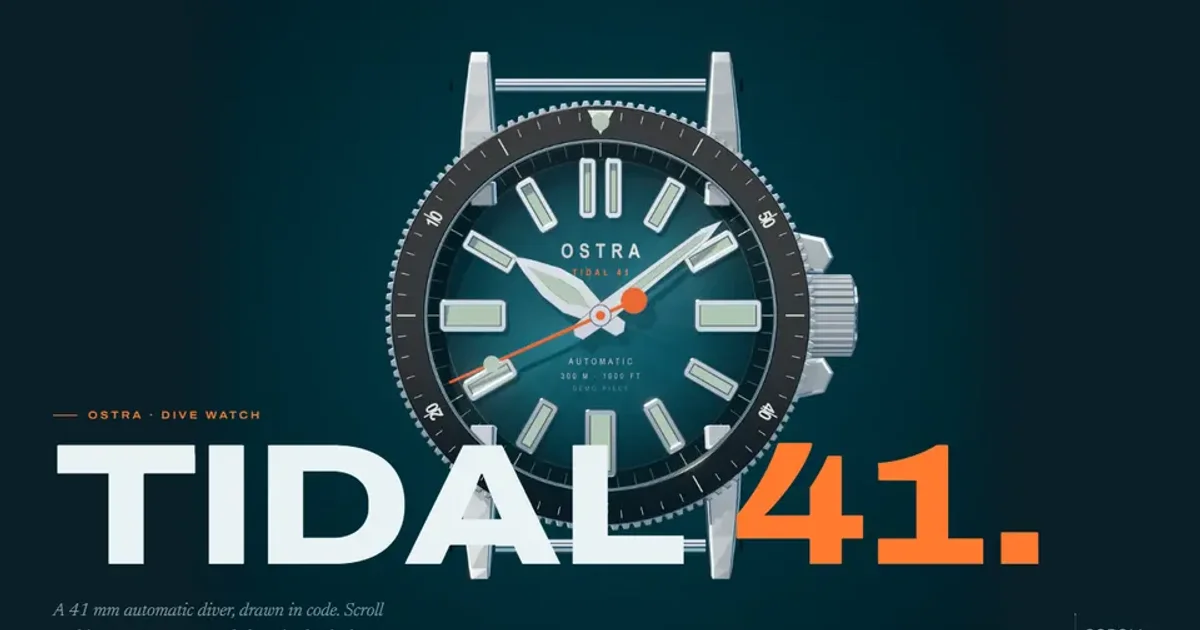
A scroll-driven image sequence is a pinned canvas that draws frame N for scroll position N. The hard part is not the drawing. It is deciding which of 330 big images to download first, and which decoded ones to throw away before the phone runs out of memory.
I built one for a fictional dive watch, Ostra Tidal 41. This post covers the three decisions that mattered: the order of the downloads, the size of the cache, and what I do when the visitor asks for less.
What is in the sequence#
The page has seven sequences, rendered offline from a Three.js model of the watch: a 120-frame turn, a 90-frame exploded view, a 48-frame macro, a 24-frame night shot and three strap sequences of 16 frames each. That is 330 frames per size.
There are two sets of them. The desktop set is 2400 px square, with the macro and night frames at 3000 px because they fill the stage. The phone set is 1200 px, with those two at 1600. WebP quality is 0.80 for the desktop set and 0.70 for the phone set, a little higher for the night frames.
| Set | Frame size | Total on disk |
|---|---|---|
| Desktop and tablet | 2400 px | about 44 MB |
| Phones and Save-Data | 1200 px | about 14 MB |
The page picks the big set only when the square would be drawn above 800 device pixels, and never on a phone. Those numbers are not where I started. My first render was about 12.5 MB for the desktop set, and it looked blurry and banded. I re-rendered at higher resolution and quality, drawing each frame at twice its final size and halving it, with a little dither on the dark gradients. The set grew to 44 MB. Some 8-bit steps still show in the darkest gradients when I push the contrast five times, and none at normal contrast.
44 MB is not something you can ask a visitor to wait for. So nobody waits for it.
Download in refinement order#
Frame N of a sequence is useful long before frame N+1 arrives, as long as something close to it is on screen. So the queue is sorted by tier, not by position.
/** Refinement tier of a frame: 0 for every 8th (and the last), then 4th, 2nd, and the odd ones last. */
export function tierOf(index: number, count: number): 0 | 1 | 2 | 3 {
  if (index === count - 1 || index % 8 === 0) return 0;
  if (index % 4 === 0) return 1;
  if (index % 2 === 0) return 2;
  return 3;
}
Tier 0 of every sequence downloads first. Then tier 1, and so on, so that at any moment every scroll position has a frame at most a few steps away. Within a tier, the sequence the visitor is looking at goes first, then the others in chapter order. Five requests run at once.
The loader screen only waits for the hero frame and every eighth frame of the turn, about 3 MB. The page opens on that and keeps filling in the rest in the background. While a finer frame is missing, the canvas draws the nearest one that is loaded, so scrubbing never shows a blank stage.
Bound the decoded frames in bytes#
Downloaded files are small. Decoded ones are not. A browser holds an image as raw pixels, four bytes each, so a 2400 px frame takes 23 MB of memory even though the file is a fraction of that. 330 of them would need several gigabytes.
So the store keeps the compressed bytes of every frame it has fetched, and decodes a window around the playhead into ImageBitmap objects, keeping recently used ones up to the byte limit, MDN describes ImageBitmap as a bitmap that can be drawn to a canvas without undue latency. Memory is counted in bytes, not in frames:
const bytesOf = (b: ImageBitmap) => b.width * b.height * 4;

export function cacheBytes(size: FrameSize): number {
  return (size === 2400 ? 640 : 260) * 1024 * 1024;
}
The desktop cache is 640 MB and the phone cache is 260 MB. At 2400 px that holds 29 decoded frames. At 1200 px it holds 47. The five frames either side of the playhead, 11 in all, are never evicted, and 11 frames at 3000 px come to about 400 MB, so the window fits inside the desktop budget even for the largest frames.
I chose a cache counted in bytes because frame sizes differ inside one set. A limit of "30 frames" would let the macro sequence use about 55% more memory than the turn.
When the visitor asks for less#
- Save-Data: the page switches to the 1200 px set and skips every odd frame, so tier 3 never downloads.
- Reduced motion: there is no scrubbing. Each chapter shows one still, and only those frames are fetched.
- Phones: they never get the large set, so the memory budget stays at 260 MB.
The reduced-motion path is a different page behaviour rather than a slower version of the same one, which is what the reduced-motion setting asks for.
Why images and not video#
A video would be a smaller download. I used images because every scroll position, in both directions, maps straight to a frame that is ready to draw. With a compressed video you would seek to a time, and I did not want the stage to depend on how fast a decoder can jump. I have not benchmarked a video version of this page, so this is a design reason, not a measured result.
Untested on real phones#
I have not run the 1200 px set on a low-end phone, so the 260 MB figure is a budget, not a measurement. Real phones and Safari are untested. The 44 MB and 14 MB totals come from my render notes and not from a network capture, and the three-megabyte gate is also an estimate from the same notes.