Web AR for products without an app
How I route Android, iPhone and desktop visitors to WebXR, AR Quick Look or a QR code from one product page, and export USDZ in the browser.
· Updated · 4 min read
A product page can offer "view in your room" without an app, but not with one technology. Chrome on ARCore-capable Android phones can start an AR session from the page with WebXR. iPhones use AR Quick Look, which opens a USDZ file in Apple's viewer. A desktop browser can only hand the visitor over to a phone with a QR code.
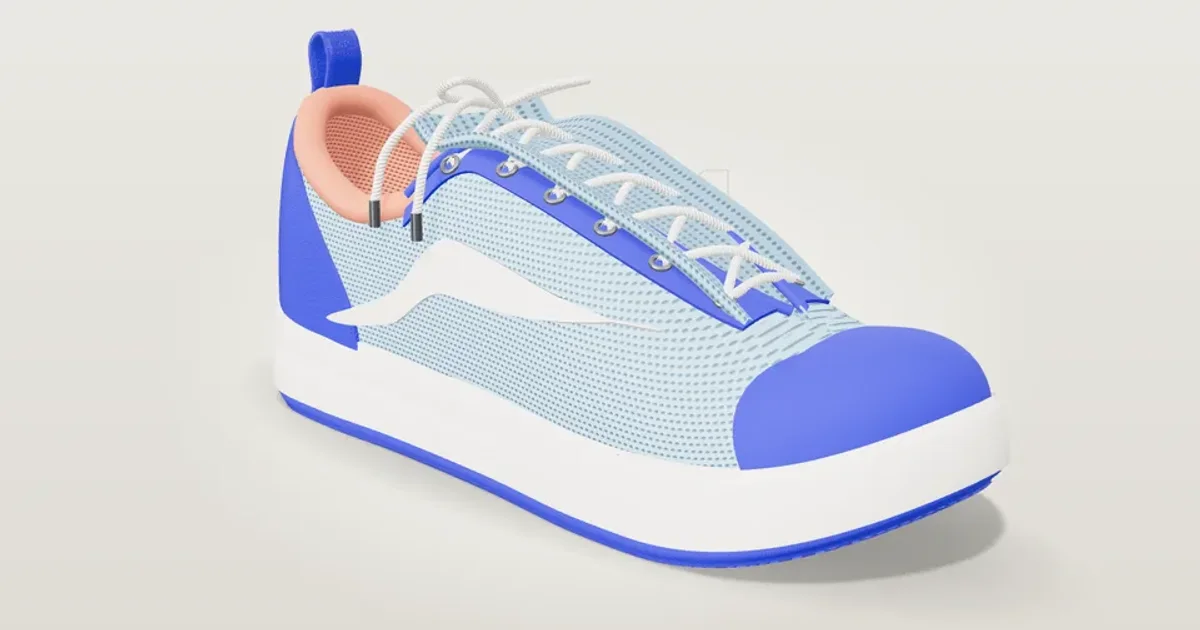
I built two demos that do all three: Lunde Room Planner for furniture and Sola Runner, a sneaker configurator. This post is about the routing and the export, not about the models.
Three paths, one decision#
The decision is a small pure function, and it runs once on load:
export type ArMode = "webxr" | "quicklook" | "qr";

export function pickArMode(env: {
  xrAr: boolean;
  quickLook: boolean;
  ua: string;
  touch: boolean;
}): ArMode {
  if (env.xrAr) return "webxr";
  const ios = /iPad|iPhone|iPod/.test(env.ua) || (/Macintosh/.test(env.ua) && env.touch);
  if (ios && env.quickLook) return "quicklook";
  return "qr";
}
The inputs come from feature detection, not from the user agent alone:
const a = document.createElement("a");
const quickLook = a.relList?.supports?.("ar") ?? false;
const check = navigator.xr?.isSessionSupported("immersive-ar") ?? Promise.resolve(false);
navigator.xr.isSessionSupported("immersive-ar") answers whether the browser can start an AR session. relList.supports("ar") answers whether the browser understands the rel="ar" link that Quick Look uses. The user agent is only used to recognise an iPad that reports itself as a Mac, which is why the touch check is there.
The order matters. WebXR comes first, so any browser that can do it gets the in-page experience. Quick Look comes second. QR is the last resort, and it is not a failure: on a laptop, a QR code is the right thing to show.
The WebXR path#
On Android Chrome the page starts an immersive-ar session with hit testing. In Lunde, the session code lets the visitor tap to place a piece on the floor and uses an anchor to keep it fixed as the phone moves. Light estimation matches the lighting of the virtual piece to the room, and a DOM overlay keeps the page's own buttons on screen: select, move, turn, change finish, and a measure tool that says whether the piece fits.
The Quick Look path#
Apple's documentation describes AR Quick Look as a link with rel="ar" that wraps an image and points to a USDZ file. When the visitor taps it in Safari, iOS opens the model in the viewer.
My models are built in code, in Three.js, so there is no file to link to. The page exports one in the browser:
const exporter = new USDZExporter();
const data = await exporter.parseAsync(exportScene, {
  quickLookCompatible: true,
  includeAnchoringProperties: true,
  ar: { anchoring: { type: "plane" }, planeAnchoring: { alignment: "horizontal" } },
  maxTextureSize: 1024,
});
return new Blob([data as BlobPart], { type: "model/vnd.usdz+zip" });
Three settings matter here. quickLookCompatible keeps the file within what Quick Look accepts. The anchoring options place the object on a horizontal plane, the floor or a table. maxTextureSize: 1024 caps the textures. Even so, the six Lunde pieces came out between 0.3 and 5.3 MB.
Sola Runner scales the shoe to the visitor's chosen EU size before it exports, so the AR shoe has the real length.
Quick Look uses Apple's renderer, not yours, so what the visitor sees in AR is a simplified version of the page's model. In Lunde I had to export double-sided shells, such as the chair back and the lamp shade, as flipped twins because USDZ has no double-sided materials, and Quick Look shows one piece at a time, which the page says plainly. A guide from Verge3D makes the wider point that complex materials and logic are not supported there.
The QR path#
On desktop the page shows a QR code. For that to work, the state of the page has to live in the URL. Sola Runner keeps the build and the size in the address bar, and Lunde keeps the room, so the phone opens the same product, the same colourway and the same size.
When to use model-viewer instead#
Google's <model-viewer> component handles much of this for you. Its documentation, which I read through a search result, lists webxr, scene-viewer and quick-look as AR modes, and says that without an ios-src it generates the USDZ on iOS when the visitor taps the AR button. For a product page with finished GLB files, it is the faster route.
I wrote my own because my models are procedural and change with the configurator, and I wanted the state in the URL and the export under my control. That is a reason for a demo, not a general rule.
Not yet tried on a real device#
I have not run the WebXR session on a real Android phone with ARCore. The code has been read and exercised up to a refused session. I have not opened a file in AR Quick Look on a real iPhone either. What I did check is that the exported USDZ is a valid zip in an emulated iPhone, for all six Lunde pieces. A real-device test is the next step before anyone relies on this.