Kalimba tuner online, with the key layout and number tabs
Pick the number of keys, press Start and pluck a tine: the tuner shows the note, the cents and whether to shorten or lengthen the vibrating part, on a drawing of the keys in their real order. The second tab steps through easy songs in number tabs and can follow your kalimba with the microphone. The Android app is a kalimba tuner for 8 to 21 keys with songs whose tabs hear your kalimba, and it works offline.
Kalimba tuner and tabs
–
Auto: the nearest key is picked. Tap a key to hear its note and lock the tuner on it.
Sound is analysed in your browser. Nothing is recorded or uploaded.
The tune is the French song Ah! vous dirai-je, maman, first published in 1761. Fits 17 keys.
Next: C4, tab 1. Note 1 of 42.
Follow mode uses the microphone in your browser; nothing is recorded or uploaded.
Numbers 1 to 7 are the notes of the key (C here), 5' is one octave up, 5'' two up, 5, one down. Note names like C4 or Bb3 work too. Separate with spaces.
| You typed | Note | Tab | On a 17-key kalimba |
|---|---|---|---|
1 | C4 | 1 | centre key |
3 | E4 | 3 | right, 1 from the centre |
5 | G4 | 5 | right, 2 from the centre |
5' | G5 | 5' | left, 6 from the centre |
C4 | C4 | 1 | centre key |
Bb3 | A#3 | outside the scale | no such key |
A tuner and songs for 8 to 21 keys
This page tunes by microphone and steps through three songs. The Android app does the same two jobs for kalimbas with 8 to 21 keys, offline, with a lot more behind them:
- Automatic tuner: pluck a tine and it lights up on a wooden kalimba, the needle shows the cents and tuned tines get a check mark
- Presets for 8, 10, 17 and 21 keys in C major, G major, F major, C minor, C pentatonic and B tunings, and custom layouts for any kalimba or thumb piano
- Guided first tuning: a rough pass, a fine pass and an octave check, with a hammer hint for every tine
- A4 calibration from 415 to 466 Hz, with 432, 440 and 442 one tap away
- 40+ public-domain kalimba songs in number, letter or do-re-mi tabs, moved automatically to your layout
- Listen mode at 50 to 150% speed, Wait for me, which waits until you pluck the right tine on your real kalimba, and Play in time with a metronome, a score and up to three stars
- A two-week learning plan with lessons, ear training and note-reading quizzes, plus a practice streak
- Six color themes, nine kalimba looks, a virtual kalimba with multi-touch, 40+ languages

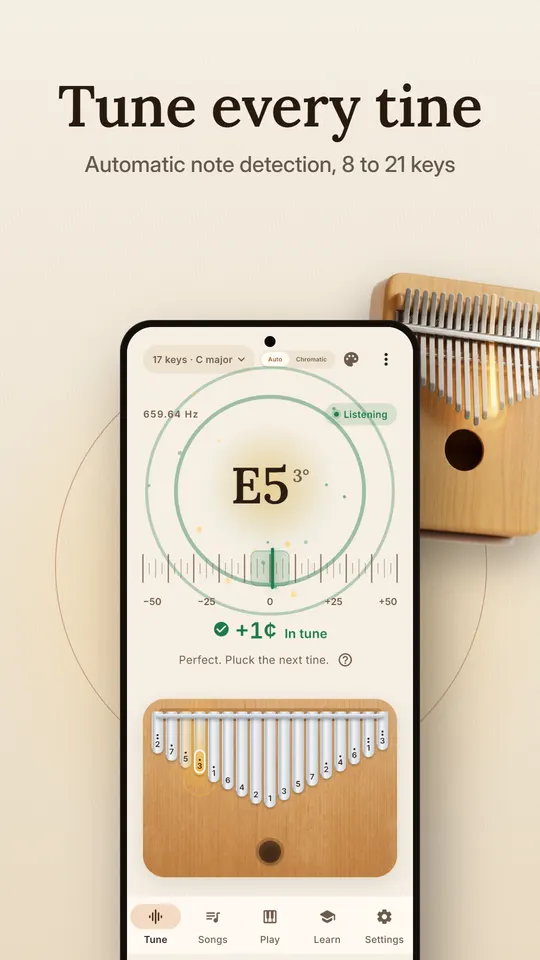
Tune every tine 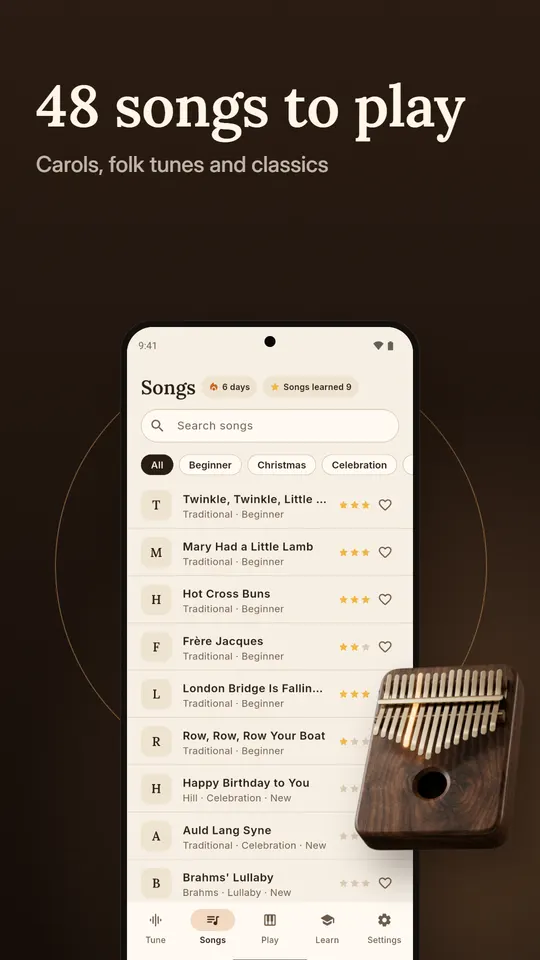
Songs to play 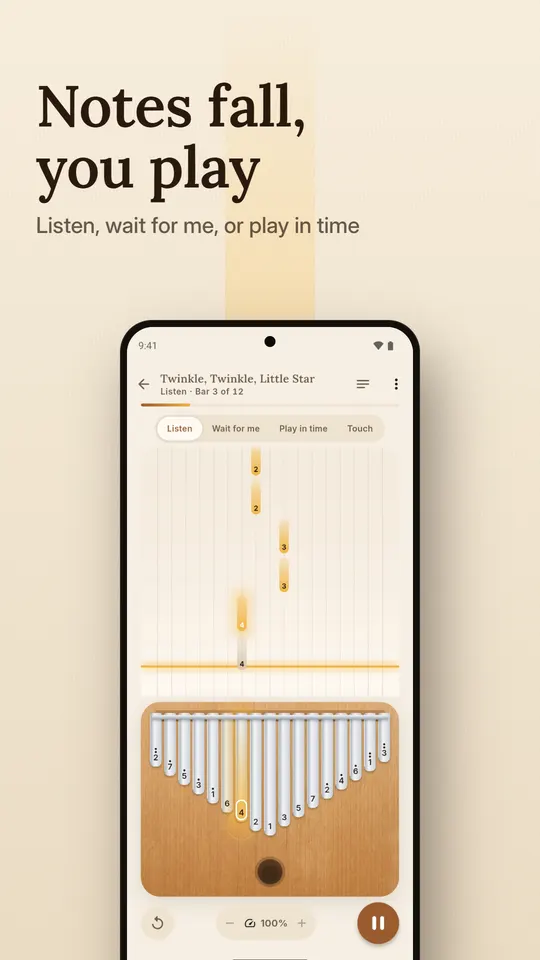
Notes fall, you play 
A kalimba in your pocket 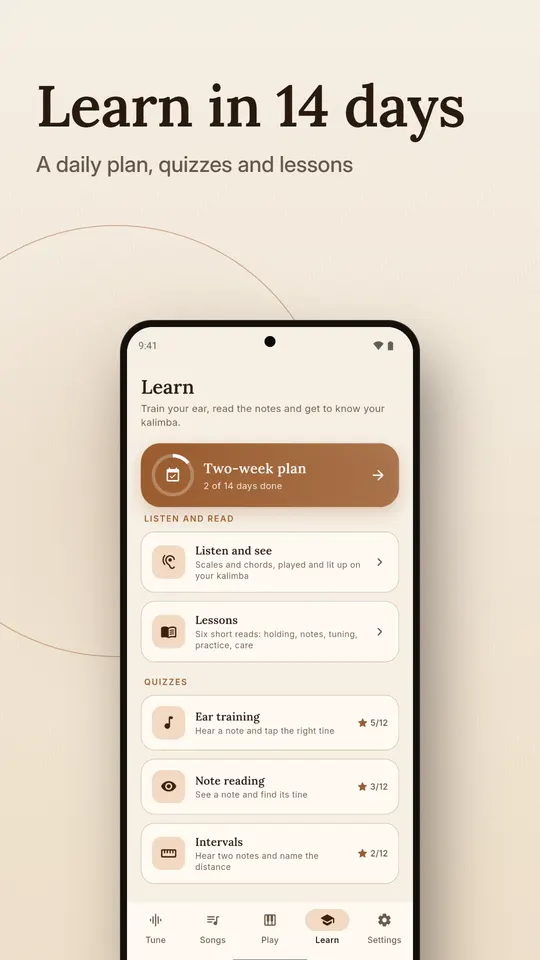
A two-week learning plan 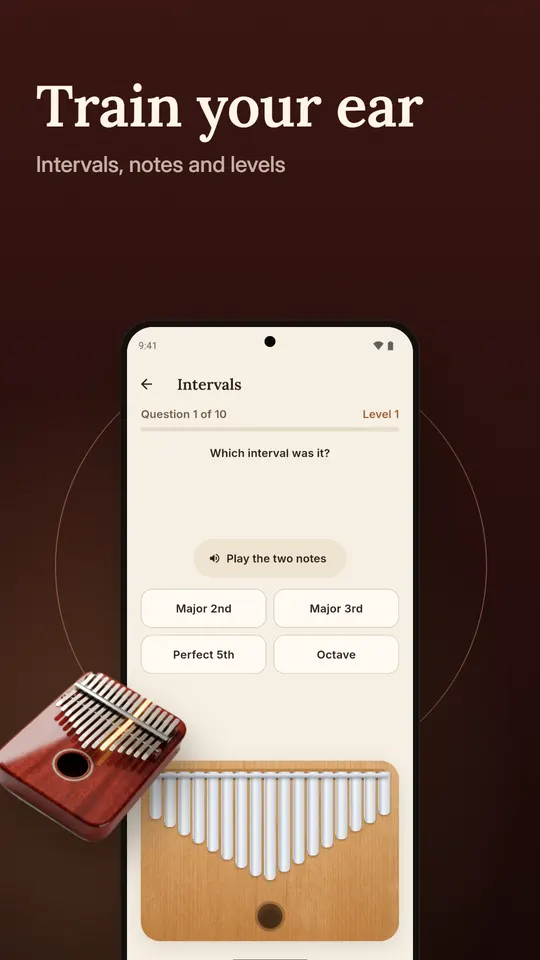
Ear training 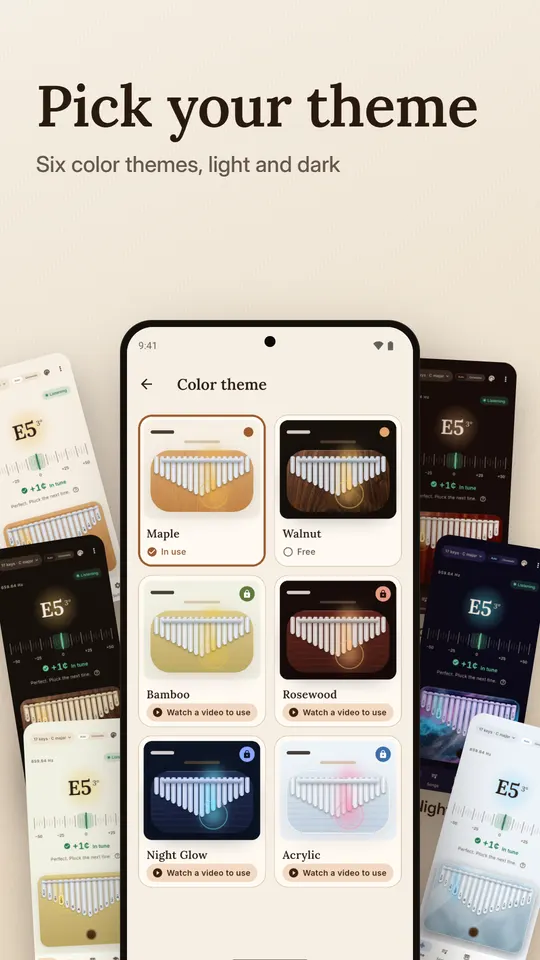
Six color themes 
Nine kalimba looks
How do you tune a kalimba?
Use an electronic tuner: one maker of kalimbas recommends exactly that, because it shows the nearest note name and tells you how far off the tine is. The tuner above does the same in your browser. Pluck one tine on its own, let it ring and read the cents.
- Pick the key you want to tune. Tap it in the figure to hear the target note and lock the tuner on it, so a flat tine is not read as the note below.
- Pluck it firmly and leave it alone. A kalimba note dies away quickly, so a quiet room and a steady pluck give a steadier reading.
- Read the cents. A negative number is flat and a positive one is sharp. This tool calls anything within 5 cents of the target in tune.
- Change the vibrating length a little. A shorter vibrating part gives a higher note and a longer one gives a lower note. Tines can be pushed in or out to change pitch, so small moves and a check after each one are the whole method.
- Move on and come back. The metal settles after each change, and moving one tine can nudge its neighbours, so go round the whole instrument once more at the end.
The sources I opened do not agree on which end of the tine to tap with a tuning hammer, so this guide does not say. Follow the instructions that came with your kalimba, and do not bend a tine to change its note. Playing drifts the tuning: the same maker says daily playing for about a month will likely put a kalimba out of tune, and an hour of heavy playing can call for a touch-up.
What notes are on a 17-key kalimba, and in what order?
The usual 17-key kalimba is tuned to C major and covers C4 to E6. The longest tine is in the middle and plays the lowest note, C4. The next note up, D4, is just to its left, E4 just to its right, and the scale keeps alternating left and right as it climbs, so the shortest tines at the two edges are the highest: D6 on the far left and E6 on the far right. Reading left to right:
- D6tab 2''
- B5tab 7'
- G5tab 5'
- E5tab 3'
- C5tab 1'
- A4tab 6
- F4tab 4
- D4tab 2
- C4tab 1
- E4tab 3
- G4tab 5
- B4tab 7
- D5tab 2'
- F5tab 4'
- A5tab 6'
- C6tab 1''
- E6tab 3''
This alternating pattern is how Hugh Tracey’s kalimbas were laid out, and it follows the many African lamellophones that put the lowest notes in the middle so the thumbs can reach every tine. Not every kalimba is regular: some pentatonic, lotus and sansula instruments use their own order, so read the engraving on yours.
How are 8, 10, 17 and 21-key kalimbas laid out?
The 17-key C layout above is the reference. A 21-key kalimba has the same notes plus four low ones in the middle, F, G, A and B below the low C. The tool above draws 8 and 10 keys by the same rule, C4 upward in the C major scale, which is also how the Android app lays out its 8, 10, 17 and 21-key presets. Models differ from shop to shop, so read the engraving on yours; the app also lets you build a layout of 5 to 27 keys by hand.
| Keys | Range | Lowest key (centre) | Left to right |
|---|---|---|---|
| 8 | C4 to C5 | C4 | C5 A4 F4 D4 C4 E4 G4 B4 |
| 10 | C4 to E5 | C4 | E5 C5 A4 F4 D4 C4 E4 G4 B4 D5 |
| 17 | C4 to E6 | C4 | D6 B5 G5 E5 C5 A4 F4 D4 C4 E4 G4 B4 D5 F5 A5 C6 E6 |
| 21 | F3 to E6 | F3 | D6 B5 G5 E5 C5 A4 F4 D4 B3 G3 F3 A3 C4 E4 G4 B4 D5 F5 A5 C6 E6 |
Octave numbers follow scientific pitch notation, where middle C is C4. Some shops call the same middle C a “3rd octave” note, so a chart that looks one octave off probably just counts differently.
How do you read kalimba number tabs?
Kalimba tabs usually write the notes of the C major scale as numbers: 1 is C, 2 is D, 3 is E, 4 is F, 5 is G, 6 is A and 7 is B. A plain number is in the octave from C4 to B4. A dot above a number moves it up one octave and two dots move it up two, so 1 with one dot is C5 and 1 with two dots is C6. A dot below a number moves it down an octave, which is how the low keys of a 21-key kalimba are written. In plain text this page writes the marks as 1', 1'' and 1,.
| Tab | 1 | 2 | 3 | 4 | 5 | 6 | 7 |
|---|---|---|---|---|---|---|---|
| Note | C | D | E | F | G | A | B |
| One dot above | C5 | D5 | E5 | F5 | G5 | A5 | B5 |
| Two dots above | C6 | D6 | E6 | - | - | - | - |
The top row stops at 3 because a 17-key kalimba ends at E6. The marks are not the same on every site, so check the key at the top of a tab before you trust the octave.
How do you tune a kalimba to a different key?
A kalimba tuned to C major has the same pattern of steps as one tuned to G major, only every note moves by the same number of semitones. Hugh Tracey’s own kalimbas were tuned diatonically in G, and because tines can be pushed in or out, other tunings are possible. Pick a key in the tool and every key button, tab and tuner target shifts by that many semitones, so number 1 is always the key note.
| Key | Centre (tab 1) | 1 | 2 | 3 | 4 | 5 | 6 | 7 |
|---|---|---|---|---|---|---|---|---|
| F♯ / G♭ | F#3 | F# | G# | A# | B | C# | D# | F |
| G | G3 | G | A | B | C | D | E | F# |
| G♯ / A♭ | G#3 | G# | A# | C | C# | D# | F | G |
| A | A3 | A | B | C# | D | E | F# | G# |
| A♯ / B♭ | A#3 | A# | C | D | D# | F | G | A |
| B | B3 | B | C# | D# | E | F# | G# | A# |
| C | C4 | C | D | E | F | G | A | B |
| C♯ / D♭ | C#4 | C# | D# | F | F# | G# | A# | C |
| D | D4 | D | E | F# | G | A | B | C# |
| D♯ / E♭ | D#4 | D# | F | G | G# | A# | C | D |
| E | E4 | E | F# | G# | A | B | C# | D# |
| F | F4 | F | G | A | A# | C | D | E |
Notes are written with sharps, and a key with two names is one pitch spelled two ways. A 17-note C kalimba can also be tuned to other scales: its maker lists C major, C minor, a Middle Eastern tuning and one called the EW&F tuning as standard options. The Android app takes the other route for its tunings: it keeps the C layout and retunes it in place, so its G major preset raises F to F♯, its F major lowers B to B♭, and it also has C minor, C pentatonic and B tunings. The key buttons in this tool shift every note instead.
Easy kalimba songs in number tabs
These three tunes are old enough, or free enough, to print in full. In the tool above you can step through them, hear them or let your kalimba lead. A number followed by :2 is held for two beats.
Twinkle, Twinkle, Little Star
The tune is the French song Ah! vous dirai-je, maman, first published in 1761. It needs at least 8 keys.
1 1 5 5 6 6 5:2 4 4 3 3 2 2 1:2 5 5 4 4 3 3 2:2 5 5 4 4 3 3 2:2 1 1 5 5 6 6 5:2 4 4 3 3 2 2 1:2
Ode to Joy
Beethoven, the last movement of the Ninth Symphony, completed in 1824. It needs at least 8 keys.
3 3 4 5 5 4 3 2 1 1 2 3 3:1.5 2:0.5 2:2 3 3 4 5 5 4 3 2 1 1 2 3 2:1.5 1:0.5 1:2
Happy Birthday to You
Public domain in the US since a 2016 court order and in the EU since 2017. This version starts on G. It needs at least 17 keys.
5:0.75 5:0.25 6 5 1' 7:2 5:0.75 5:0.25 6 5 2' 1':2 5:0.75 5:0.25 5' 3' 1' 7 6:2 4':0.75 4':0.25 3' 1' 2' 1':2
How accurate is a microphone tuner on a kalimba?
Accurate enough to tune a kalimba: the tuner above finds the pitch with the YIN method, which rarely jumps an octave on a note with strong overtones, and it ignores anything it cannot read clearly and smooths over the last few readings. It will still struggle with a noisy room, two tines ringing at once and the first instant of a pluck, which is why a steady, single pluck reads best. It shows the nearest note, so lock a key when a tine is far out. A phone is not a laboratory instrument, and a kalimba note fades quickly, so a reading of a few cents is a good result.
What does the Android app add?
The Kalimba Tuner app is a tuner for 8 to 21 keys and a set of kalimba songs with tabs that hear your kalimba, and it works offline with no account. The page above has the same idea in a browser: a tuner for each size and tabs that can follow you. The app adds presets for 8, 10, 17 and 21 keys in several tunings, a guided first tuning with hammer hints for every tine, more than 40 public-domain songs, a play-in-time mode with stars, a two-week learning plan with ear training, and looks for the on-screen kalimba. It is free with ads; the tuner, all presets, guided tuning and 22 songs stay free. Its Google Play listing is still in review.
Sources
- Wikipedia, Kalimba: Hugh Tracey, lowest notes in the middle, ascending notes alternating right and left, tines pushed in or out to retune, Tracey kalimbas tuned diatonically in G.
- dinogame.gg, Kalimba: the 17-key C4 to E6 layout, centre key C4, D4 left, E4 right, D6 and E6 at the edges, and the number and dot notation.
- Instruments du Monde, Kalimba notes: the 17-tine C layout with the longest tine in the middle marked C and 1, and the 21-tine model as the 17-tine notes plus F, G, A and B below.
- Kalimba Magic, Using our 17-note materials for 21-note kalimbas: four extra notes in the middle, below the low C.
- Kalimba Magic, Four tunings for the 17-note kalimba: C major, C minor, Middle Eastern and EW&F tunings on a 17-note C kalimba.
- Kalimba Magic, How do you tune the kalimba?: using an electronic tuner, and how playing makes the tuning drift.
- Kalimba Magic, alternating L-R-L-R layout: the scale alternates left and right as it moves outward on regular kalimbas.
- Wikipedia, Happy Birthday to You: public domain in the US since the 2016 court declaration and in the EU since 2017.
- Wikipedia, Twinkle, Twinkle, Little Star and Ode to Joy: the 1761 French melody and Beethoven’s 1824 symphony theme. Neither page states copyright status; both melodies are far older than any copyright term.
- de Cheveigné and Kawahara, YIN, a fundamental frequency estimator for speech and music (2002): the pitch method the tuner uses.
Questions
How do I tune a kalimba?
Pluck one tine, read the cents on a tuner and change the vibrating length a little: shorter is higher, longer is lower. Move in small steps, check after each one and go round the whole instrument once more at the end.
What notes are on a 17-key kalimba?
In the usual C major tuning it covers C4 to E6. The longest tine in the middle is C4, then D4 to its left, E4 to its right, and the notes alternate outward so the shortest tines at the edges are D6 and E6.
What do the dots above kalimba tab numbers mean?
Numbers 1 to 7 are C to B. A plain number is in the octave from C4 to B4, one dot above is one octave higher and two dots are two octaves higher. A dot below goes down an octave.
Does this tuner record my microphone?
No. The browser hands the sound to code on this page, which measures the pitch and throws the audio away. Nothing is stored or sent to a server.
Can I tune a 21-key kalimba here?
Yes. Pick 21 keys and the figure adds the four low notes F3, G3, A3 and B3 in the middle. Pick the key of your kalimba if it is not C.
Is the Kalimba Tuner app free and does it work offline?
It is free with ads and works offline with no account. The tuner, all layout presets, the guided first tuning and 22 songs stay free; watching one short video turns the ads off for 10 minutes or unlocks extra song packs and looks.
Take the tuner to your practice
Free on Android, with ads. Works offline with no account, and the microphone is used only on your phone. The Google Play listing is still in review, so the button may not open the app page yet.
Facts from the Google Play listing, last checked .