BlogPosting JSON-LD: what Google needs
Which structured data properties Google recommends for a blog post, what a minimal BlogPosting looks like, and where this blog's own markup falls short.
· Updated · 4 min read
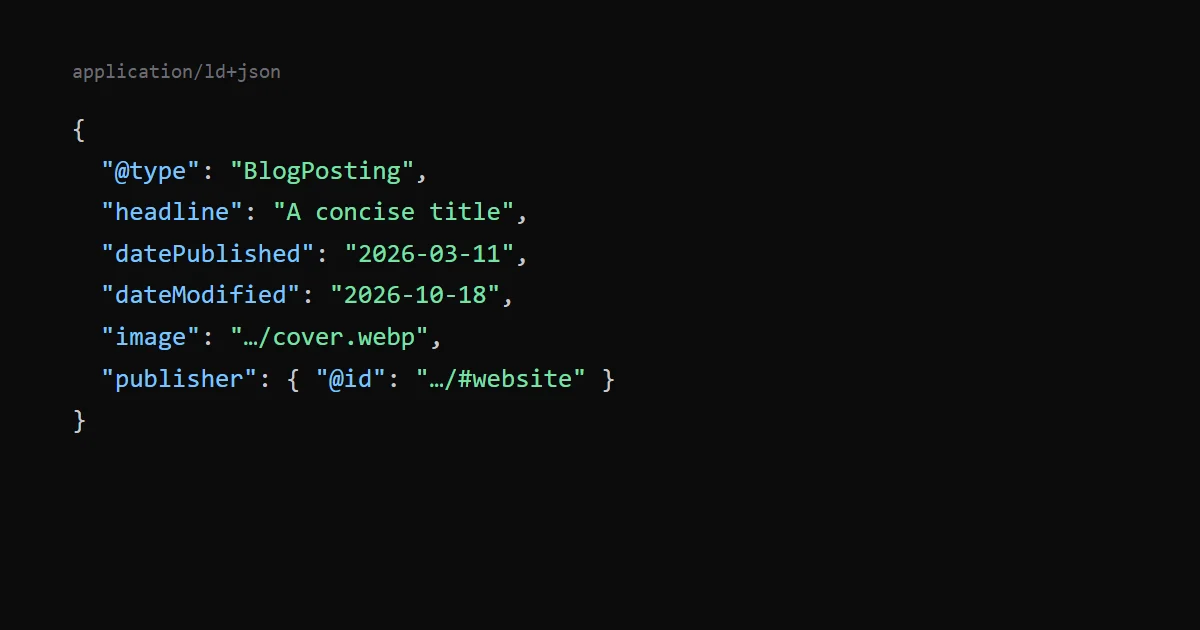
Google does not require any property in Article structured data. It says to add the properties that apply to your content, and it recommends a handful: headline, image, datePublished, dateModified and author (with author.name and author.url). A blog post can use the type BlogPosting, which Google accepts alongside Article and NewsArticle.
This post summarises Google's Article structured data documentation, shows the markup this blog emits, and lists the places where it differs from the recommendations.
What Google says#
- Types. An article object must be based on
Article,NewsArticleorBlogPosting. - Required properties. "There are no required properties; instead, add the properties that apply to your content." Every property on the page is recommended.
headline. The title of the article. Google suggests a concise title, because long titles may be truncated on some devices.image. One or more images or URLs that represent the article. They must be crawlable and indexable, must match the marked-up content and must use a format Google Images supports. Google recommends several high-resolution images of at least 50,000 pixels (width times height), in 16:9, 4:3 and 1:1 ratios.datePublishedanddateModified. Use ISO 8601. Google recommends including timezone information, otherwise it defaults to the timezone Googlebot uses.author. A Person or an Organization. Inauthor.name, put the name only, without the publisher, a job title, honorifics or words such as "posted by". List each author in its own entry, and include every author shown on the page.
Validate the markup with the Rich Results Test, then use the URL Inspection tool to confirm Google can see the page.
What this blog emits#
Each post carries one JSON-LD block with two items, the post and a breadcrumb trail:
{
  "@context": "https://schema.org",
  "@graph": [
    {
      "@type": "BlogPosting",
      "@id": "https://.../blog/<slug>/#post",
      "headline": "...",
      "description": "...",
      "url": "https://.../blog/<slug>/",
      "mainEntityOfPage": "https://.../blog/<slug>/",
      "datePublished": "2026-03-11",
      "dateModified": "2026-10-18",
      "image": "https://.../blog/<slug>/cover.webp",
      "keywords": "Performance, Tooling",
      "wordCount": 1100,
      "inLanguage": "en",
      "isPartOf": { "@id": "https://.../blog/#blog" },
      "publisher": { "@id": "https://.../#organization" }
    },
    { "@type": "BreadcrumbList", "itemListElement": [ ... ] }
  ]
}
Three habits are worth copying. The post has a stable @id, so other markup can refer to it. The publisher is a reference to an Organization declared once in the root layout, with the brand name and a logo, so it is not repeated. And the list page is marked as a Blog with its posts, which links the pieces together.
Writing this post showed me a flaw. The publisher used to point at the site's WebSite entity, but schema.org expects an Organization or a Person there. I added an Organization entity and pointed the posts and the tool pages at it, in the same change as this post. I have not deployed it or re-tested the pages.
Where it differs from Google's recommendations#
- No author. The site brands everything under one name and does not put a person in its structured data, so there is no
author. Google lists it as recommended, not required. For a site that wants to show who wrote a post, add it. - Dates without a timezone. The values are plain dates, such as
2026-03-11. That is valid ISO 8601, but Google types these properties as DateTime and recommends timezone information. For a date with no time, I expect the difference to be at most a day, but that is my guess and not something Google states. - One image, and a WebP. The
imageis a single 1200 × 630 cover, which is a 1.91:1 ratio and not one of the three ratios Google lists. The file is a WebP, which is on the list of formats Google Images supports (BMP, GIF, JPEG, PNG, WebP, SVG and AVIF). At 756,000 pixels it is well above the 50,000 minimum, so only the ratio differs. The Open Graph image is a JPEG, as I describe in Open Graph images: size, format and tags.
I have not run the Rich Results Test on these pages for this post. The block is generated from the same data as the page, so it matches what is visible, which is what Google's structured data guidelines ask for.
A minimal markup you can start from#
{
  "@context": "https://schema.org",
  "@type": "BlogPosting",
  "headline": "A concise title",
  "image": ["https://example.com/photos/1x1/photo.jpg"],
  "datePublished": "2026-03-11T08:00:00+00:00",
  "dateModified": "2026-03-12T09:20:00+00:00",
  "author": [{ "@type": "Person", "name": "Author Name", "url": "https://example.com/about/" }]
}
Put it in a script type="application/ld+json" element. Keep every value in line with what a reader sees on the page.
The tools on this site#
For tool pages, this site uses WebApplication markup rather than BlogPosting, with a breadcrumb trail. That is a different type with its own rules, which I have not covered here. The Playable Ad Tester page is an example.
Limits of this post#
I read Google's documentation on 18 October 2026. Structured data guidance changes, so check the page before you rely on this. I have not seen what Google does with this blog's markup in Search Console.