robots.txt for AI crawlers: allow or block
Copy-paste robots.txt rules: allow all, allow OAI-SearchBot and Claude-SearchBot, block GPTBot, ClaudeBot and Google-Extended. Checked against vendor docs.
· Updated · 7 min read
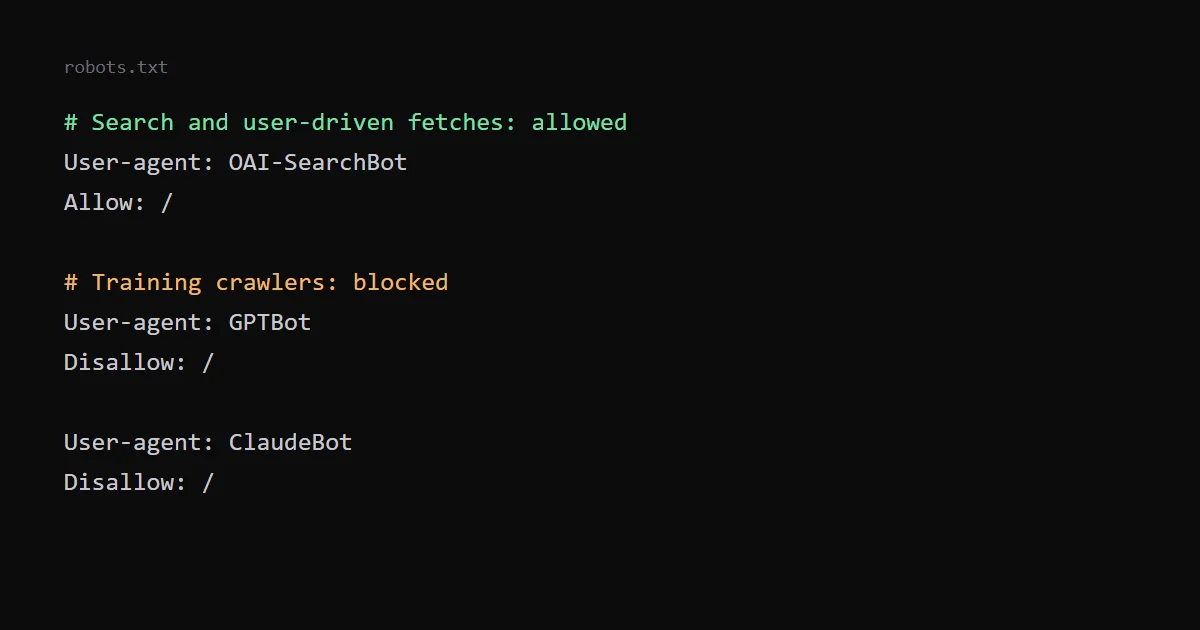
AI companies run more than one crawler, and each can be controlled on its own in robots.txt. A common choice is to allow the crawlers that fetch pages for search and for user questions, and to block the ones that collect training data. OpenAI and Anthropic both document this split.
Below is what each company says about its bots, a robots.txt that applies the split, and what my own file does. This is not legal advice, and whether to allow training is a decision for you, not a technical default.
Allow all crawlers: a robots.txt to copy#
To let every crawler fetch everything, including AI bots, this is the whole file:
User-agent: *
Allow: /
User-agent: * addresses every crawler that has no group of its own, and Allow: / permits the whole site. An empty Disallow: line means the same. If the file is missing and the server answers 404, RFC 9309 says a crawler may access any resource, so no file is also allow all.
Allowing everything also allows the training crawlers. A bot follows the group that names it and ignores *, so you can allow all and still shut out one AI bot. My robots.txt generator writes either version and tests a URL against any bot.
Block GPTBot and ChatGPT training#
To keep your pages out of OpenAI's training data, name GPTBot:
User-agent: GPTBot
Disallow: /
This controls training only. OAI-SearchBot decides whether pages appear in ChatGPT search, and ChatGPT-User fetches a page when a person asks, so each needs its own group if you want to change it. The same pattern works for ClaudeBot, Google-Extended and CCBot. The tables below list what each bot does.
OpenAI#
OpenAI's crawler documentation lists four user agents. Three matter here; the fourth, OAI-AdsBot, only visits pages submitted as ChatGPT ads and is not used for training:
| User agent | Purpose |
|---|---|
OAI-SearchBot | Surfaces websites in ChatGPT's search features. Sites that opt out of it are not shown in ChatGPT search answers, though they can still appear as navigational links. |
GPTBot | Crawls content that may be used to train OpenAI's generative AI foundation models. Disallowing it signals that content should not be used for training. |
ChatGPT-User | Triggered by user actions in ChatGPT and custom GPTs. OpenAI says it is not used to crawl the web automatically and does not decide whether content appears in Search. |
Each bot is controlled independently. OpenAI notes that because ChatGPT-User actions are initiated by a user, robots.txt rules may not apply to it. It also says it can take about 24 hours for search results to reflect a robots.txt change.
Anthropic#
Anthropic's help article lists three crawlers as well:
| User agent | Purpose | If you disallow it |
|---|---|---|
ClaudeBot | Collects web content that could contribute to training Anthropic's models | Your future content is excluded from training datasets |
Claude-User | Accesses sites when a Claude user asks a question that needs them | Retrieval for user queries stops, which may reduce visibility in user-directed search |
Claude-SearchBot | Crawls content to improve the relevance and accuracy of search results | Indexing for search stops, which may reduce visibility in search results |
Anthropic says its bots honour the standard directives in robots.txt. It advises against blocking IP addresses as an opt-out, because that may not work correctly and can stop its bots from reading your robots.txt file. It also supports the non-standard Crawl-delay extension to slow a crawler down.
Google#
Google's crawler documentation separates common crawlers, such as Googlebot, from special-case crawlers. Common crawlers always respect robots.txt rules for automatic crawls. Special-case crawlers work under an arrangement with the crawled site, and its example is AdsBot, which ignores the global * rules with the ad publisher's permission.
Google-Extended is a separate control. According to Google's list of common crawlers, it is a standalone product token with no separate user agent string. It controls whether content is used for training future generations of Gemini models and for grounding in Gemini Apps and Grounding with Google Search on Vertex AI, and it does not impact a site's inclusion in Google Search nor is it used as a ranking signal in Google Search.
Perplexity, You.com, Apple, Meta, Common Crawl and ByteDance#
These are the other crawlers most often named in AI robots.txt rules. Each row comes from the operator's own page, except ByteDance, where I could not find one.
| User agent | Operator | What the operator says | robots.txt |
|---|---|---|---|
PerplexityBot | Perplexity | Surfaces and links websites in Perplexity search results. It is not used to crawl content for AI foundation models. | Allow it to appear in Perplexity search results |
Perplexity-User | Perplexity | Fetches a page when a user asks a question. Not used for web crawling or to collect training content. | Perplexity says it generally ignores robots.txt, because a user requested the fetch |
YouBot | You.com | You.com's web crawler. Requests come from 68.67.112.0/24 and reverse DNS ends in search.you.com. | You.com says it respects robots.txt, including crawl-delay; block it with User-agent: YouBot and Disallow: / |
Applebot | Apple | Apple's crawler. Its data powers search features in Spotlight, Siri and Safari, and may be used to train Apple's foundation models. | Follows robots.txt rules for Applebot |
Applebot-Extended | Apple | Not a crawler. A token that says whether data Applebot collects may train Apple's generative models. | Disallowed pages can still appear in search, and Apple says these rules are not used for ranking |
meta-externalagent | Meta | Crawls the web for uses such as training foundation AI models or improving products by indexing content directly. | Blocked with a Disallow rule for this user agent |
meta-externalfetcher | Meta | Fetches individual links at a user's request. | Meta says it may bypass robots.txt, because the fetch was requested by a user |
CCBot | Common Crawl | Builds the Common Crawl open web archive, which many AI training datasets draw on. | User-agent: CCBot with Disallow: / is the documented opt-out |
Bytespider | ByteDance | I could not find or confirm an official ByteDance page for this crawler. | Not confirmed by the operator; third-party reports disagree on whether it obeys the file |
Meta also lists meta-webindexer, which it says improves Meta AI search results, and facebookexternalhit, which builds link previews when someone shares a URL and may bypass robots.txt for security or integrity checks. Meta asks for up to 24 hours for a change to take effect.
Like Google-Extended, Applebot-Extended is only a token: block it to opt out of Apple model training while keeping Applebot for search. Common Crawl warns that some crawlers falsely claim to be CCBot, so the user agent string alone does not prove who is fetching.
A robots.txt that allows search and blocks training#
This applies the split from the tables above:
# Search and user-driven fetches: allowed
User-agent: OAI-SearchBot
Allow: /

User-agent: Claude-SearchBot
Allow: /

User-agent: ChatGPT-User
Allow: /

User-agent: Claude-User
Allow: /

# Training crawlers: blocked
User-agent: GPTBot
Disallow: /

User-agent: ClaudeBot
Disallow: /

# Everyone else
User-agent: *
Allow: /
A bot follows the group that names it, so an explicit Allow: / is not strictly needed when the * group already allows everything. I show it to make the intent visible. Add Google-Extended with Disallow: / if you also want to opt out of Gemini training and of grounding in Gemini Apps and Vertex AI. It does not affect Google Search.
Blocking training does not remove your content from models that were already trained, and it does not guarantee that every crawler obeys the file. It is a signal that the companies say they honour.
What my robots.txt does#
My file allows everything except three folders that should not be crawled, and it names no AI bot:
User-agent: *
Allow: /
Disallow: /capture/
Disallow: /styleguide/
Disallow: /fonts/
Sitemap: https://.../sitemap.xml
Host: https://...
Whether to name AI bots is a choice, not a rule. A portfolio and a set of free tools like this one can reasonably allow everything, while a site that sells content, or that has licensing terms, can decide the other way.
I also publish an llms.txt and Markdown copies of the tool pages. Google's John Mueller has called that file purely speculative, as I explain in llms.txt on a static site: worth it?. A crawler that cannot read your pages makes both pointless, so check the basics first.
Check your file#
- Open
/robots.txtin a browser and read it as a bot would: the most specific group for a user agent wins. To check one URL against one bot, paste the file into the robots.txt tester: it shows allowed or blocked and the exact rule line that won. - Look at your server logs for the user agents above, if you have access.
- Check that no firewall or CDN rule blocks the crawlers you meant to allow. Anthropic's advice about IP blocking applies here too.
- Wait. OpenAI says it can take about 24 hours for search results to reflect a change.
A private page needs a login. A page that must stay out of search needs noindex, and it must not be blocked in robots.txt, or the crawler never sees the tag. A blocked URL can still be known to exist, and the file is public.
Limits of this guide#
The OpenAI, Anthropic and Google descriptions come from their own pages, which I read on 18 October 2026 and checked again on 23 October 2026, together with the Perplexity, Apple, Meta and Common Crawl pages. I found no official ByteDance page for Bytespider, so that row states only that. I have not tested what happens to traffic or to AI answers after blocking or allowing any of these bots.