Canvas 2DTypeScriptWeb Audio
Controls
- Move the mouse or drag a finger to slide the basket
- Hold the arrow keys, or A and D, to slide it with the keyboard
- P or Escape pauses
- Add ?play to the address to start a run straight away
Runs in any modern browser with Canvas 2D; no WebGL needed. Respects the reduced-motion setting: no screen shake, canopy sway, drifting leaves, cloud drift or rising score text, and fewer particles; the falling fruit is the game itself and keeps moving. Sound is off until you turn it on. The best score is saved in this browser.
Questions
How do I play Windfall?
Slide the basket under the fruit the tree drops: move the mouse, drag a finger, or hold the arrow keys. Fruit that lands on the grass costs a life, and you have three.
What is each fruit worth?
An apple is 10 points, a pear 15 and a plum 25. Six catches in a row raise the multiplier by one step, up to ×5; a dropped fruit or a rotten apple resets it.
What does the golden apple do?
It is worth 50 points times your multiplier, gives back a lost life and starts a six-second harvest: a wider basket, and only fruit falls.
What should I avoid?
Wasps and rotten apples. Catching a wasp costs a life; a rotten apple takes 20 points and breaks your streak. Both are free to let fall.
Does it work on a phone?
Yes. Drag a finger anywhere on the orchard and the basket follows it. It runs on Canvas 2D, so it does not need WebGL.
Does it save my score?
Your best score and longest streak are saved in this browser.
How it’s built
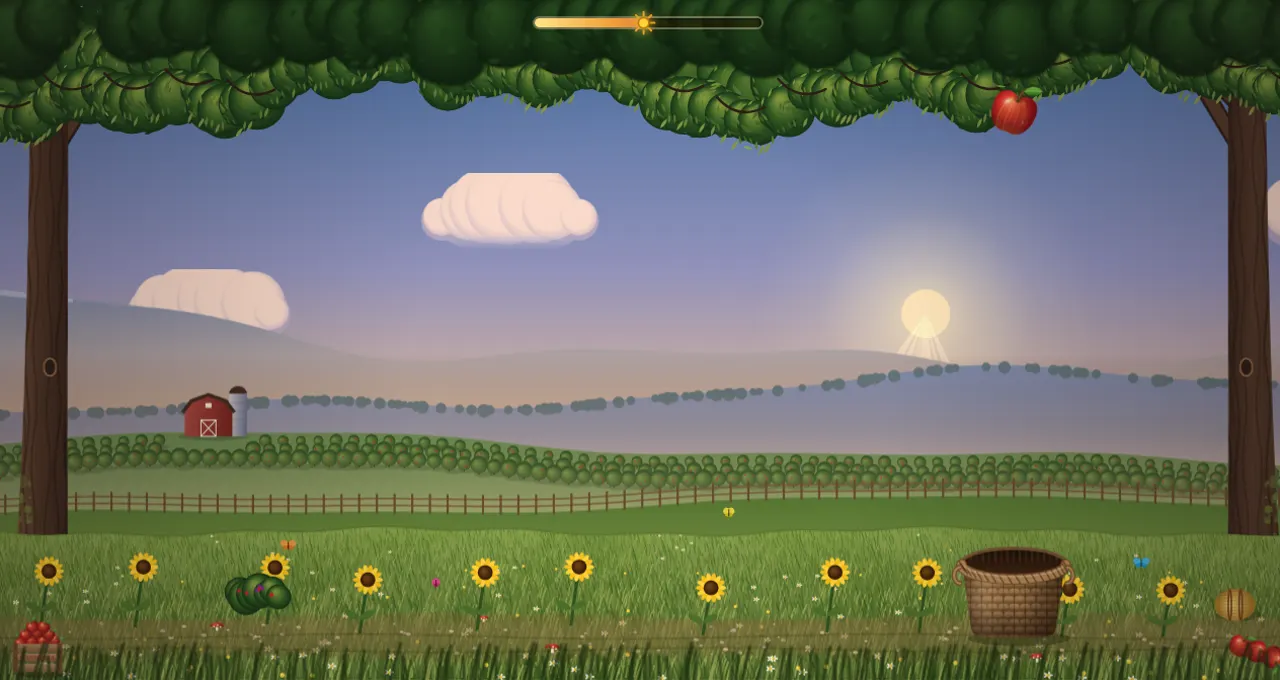
A catch-the-falling-fruit arcade game. An old apple tree lets go of apples, pears and plums over an orchard at golden hour, and the player slides a wicker basket under them. Fruit that reaches the grass costs a life (three in all). Six catches in a row raise the score multiplier by one step, up to ×5. Wasps and rotten apples fall with the fruit and are best left alone. A golden apple gives a life back and starts a six-second harvest with a wider basket where only fruit falls. Over a run the sky goes from afternoon to dusk while the pace climbs and wind gusts begin to push the fruit sideways.
How it's built
- Rules as plain TypeScript.
core/game.ts holds the whole game: spawning, hang and fall, gravity and wind, the catch test at the rim line (inside the mouth is a catch, on the edge of the rim is a bounce), wasp paths, lives, combo, harvest and the difficulty curve. It returns events and has no drawing code, so it is covered by Vitest tests; the view only draws what the core says. A seeded random source keeps runs, the menu demo and tests repeatable. - Fixed simulation step. The core runs at 120 Hz regardless of frame rate, so a catch on a 60 Hz phone and on a 144 Hz monitor behaves the same.
- Canvas 2D, no engine. The picture is painted in code: every fruit, the wasp, the basket and the landscape are drawn with gradients and curves, with no image files. Static layers (hills with a barn and orchard rows, the meadow, two canopy depths, two trunks, the basket) are painted once per size into offscreen canvases, in an afternoon and a dusk version that are cross-faded as the day goes on. Each frame only blits them and draws what moves.
- Cheap per frame. Fruit sprites are pre-rendered once; sun rays, fireflies, the vignette and particles are the only per-frame drawing. The canvas pixel ratio is capped (1.75, or 1 on the light tier), the particle pool is capped at 420, and the light tier skips rays, blur and half the grass detail.
- A loop that sleeps. The loop stops while the game is paused, scrolled off screen or in a hidden tab (leaving the tab pauses a run), and restarts on demand.
- Wide screens. The play field is at most 170 units wide (the height is always 100); wider windows show more orchard around it.
- A menu that is already the game. The menu sits over a self-steering demo run in the busy part of the day, so the first frame shows falling fruit.
?play starts a run straight away; ?play&auto&at=70&seed=5 runs the demo from second 70 of the day (used for the card capture). - Generated sound. Every sound is a Web Audio envelope or filtered noise; catches pluck a pentatonic note that climbs with the streak. Sound is off until the player turns it on.
- Interface in the game's own style. Score on a wooden tag on twine, lives as apples, the multiplier as a rubber stamp, the menu and result as a plank sign holding a fruit-crate label. Everything readable is HTML; the canvas is
aria-hidden and a polite live region announces the start, streaks, stings, drops and the result. - Input. Pointer and touch steer the basket towards the finger with a critically damped chase; arrow keys and A/D steer with acceleration. Both stop at the field edge.
- Reduced motion. No screen shake, canopy sway, drifting leaves, cloud drift, wobble before release or rising score text, and fewer particles. The falling fruit is the game itself and keeps moving.