GSAP ScrollTrigger in React and Next.js
How to use GSAP ScrollTrigger in React and the Next.js App Router with useGSAP, scope and cleanup, so animations survive Strict Mode and route changes.
· 3 min read
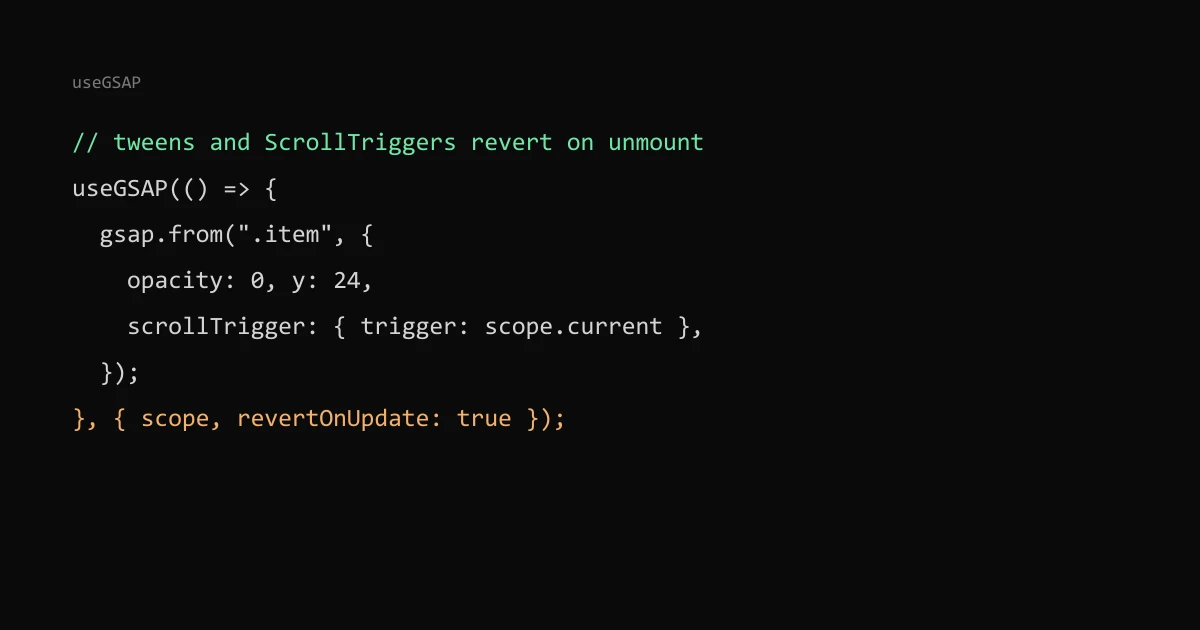
In React, create GSAP tweens and ScrollTriggers inside the useGSAP hook from @gsap/react, give it a scope ref, and let it clean up. The hook wraps your code in gsap.context(), so every tween and ScrollTrigger made inside it is reverted on unmount, which fixes the duplicated animations and stale pins most people hit first.
Every reveal and scroll effect on this site, including the Ostra Tidal watch page, runs this way in a static Next.js build.
Register once, in a client module#
// lib/gsap.ts
"use client";
import { useGSAP } from "@gsap/react";
import { gsap } from "gsap";
import { ScrollTrigger } from "gsap/ScrollTrigger";

if (typeof window !== "undefined") {
  gsap.registerPlugin(useGSAP, ScrollTrigger);
}

export { gsap, ScrollTrigger, useGSAP };
This is this site's real module. Components import from it only, so plugins are registered in one place. GSAP's React guide asks you to register useGSAP as a plugin too, to avoid React version mismatches. In the App Router any file that uses the hook needs "use client"; the hook falls back to useEffect on the server, so prerendering does not crash.
The basic hook#
"use client";
import { useRef } from "react";
import { gsap, useGSAP } from "@/lib/gsap";

export function Reveal({ children }: { children: React.ReactNode }) {
  const scope = useRef<HTMLDivElement>(null);

  useGSAP(
    () => {
      gsap.from(".item", {
        opacity: 0,
        y: 24,
        stagger: 0.08,
        scrollTrigger: { trigger: scope.current, start: "top 85%" },
      });
    },
    { scope },
  );

  return <div ref={scope}>{children}</div>;
}
With scope, the .item selector only matches inside this component. Without it, the selector searches the whole document and animates every .item on the page.
Why plain useEffect goes wrong#
React's Strict Mode runs effects twice in development. The GSAP guide warns that without proper cleanup this causes duplicate animations and problems with from() tweens: the second run starts from the values the first run already set, so elements can stay invisible. A pinned ScrollTrigger that is never killed leaves its spacer in the page after a route change, and the next page's triggers fire at the wrong positions.
useGSAP reverts everything created inside it when the component unmounts. You still remove your own event listeners in a returned cleanup function, as in a normal effect.
Dependencies and revertOnUpdate#
By default the hook runs once. Pass dependencies to re-run it, and revertOnUpdate: true if the old animation should be undone first:
useGSAP(
  () => {
    /* build tweens */
  },
  { scope, dependencies: [reduced], revertOnUpdate: true },
);
Without revertOnUpdate, GSAP keeps the old tweens when dependencies change and only reverts on unmount. My reveal component depends on the reduced-motion flag this way, so switching the system setting swaps the slide-in for a plain fade without leaving the old ScrollTriggers alive. The Lenis and reduced motion post covers the smooth-scroll side of that.
Animations started by events#
Tweens created later, in a click handler or a timeout, are outside the context unless you wrap them with contextSafe:
const { contextSafe } = useGSAP({ scope });
const onClick = contextSafe(() => {
  gsap.to(".panel", { height: "auto" });
});
ScrollTrigger positions after layout changes#
ScrollTrigger measures start and end positions when it is created and recalculates on resize. If images or fonts load later and push content down, triggers fire early or late. Give images width and height so they reserve space (see CLS and layout shift), and call ScrollTrigger.refresh() after anything else that changes the layout.
The ScrollTrigger docs say you are very unlikely to need refreshPriority if you create triggers in the order they appear on the page; with pinning, out-of-order creation shifts the positions below. Components usually mount top to bottom, so this holds unless a lazily loaded section above creates its trigger after the ones below it. In that case, call ScrollTrigger.sort() or ScrollTrigger.refresh() once it mounts.
For responsive and reduced-motion variants, use gsap.matchMedia(); the docs mark ScrollTrigger.matchMedia() as deprecated. For picking the durations themselves, see how long a UI animation should take.