Why an idle web page still burns CPU
A portfolio home page used a third of the main thread while nobody touched it. CSS loops, a WebGL hero and scroll effects, and the fixes that worked.
· 5 min read
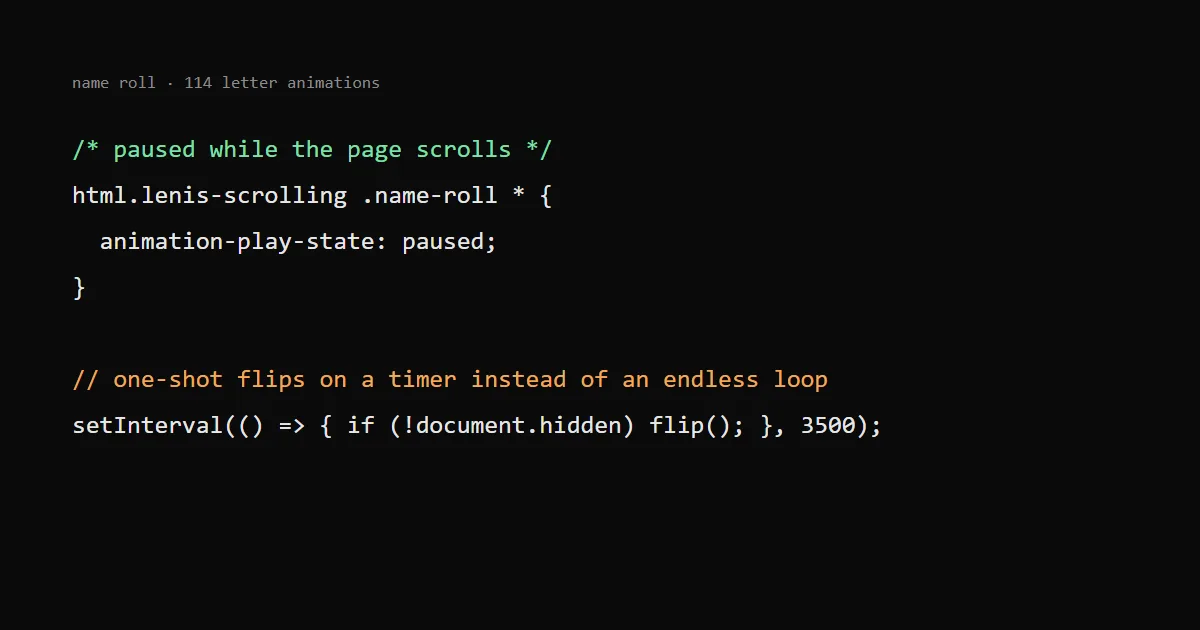
A page that looks still can keep the CPU busy because of animations that never stop: infinite CSS loops, a WebGL scene drawing at full rate, scroll effects running on every frame. On my own portfolio the header animation alone took about a third of the main thread on the home page while nobody was touching anything.
Here is how I found it and what I changed. The hero side of it has its own post: a WebGL hero without losing PageSpeed, and the interaction side is in INP explained. All of it is on this site, so you can open DevTools and check.
How to see the problem#
Open the page, do nothing, and record ten seconds in the Chrome DevTools Performance panel. A calm page should show mostly empty space. Mine showed a solid band of "Recalculate style" every frame.
Two more checks that take a minute:
- The Rendering tab, "Paint flashing". Green rectangles that flash all the time mean something repaints even though nothing changes visibly.
- Task Manager in Chrome (Shift+Esc). Watch the CPU column of the tab while the page sits idle. A static page should be near zero.
Laptop fans and phone heat are the user-side version of this. Nobody files a bug about it; they just close the tab.
Infinite CSS loops are not free#
My header shows the name, then the roles, flipping letter by letter. The first version did this with an infinite CSS animation on each letter: 114 letters, each with its own running animation and staggered delay.
CSS animations of transform and opacity run on the compositor, so I assumed they cost nothing. Two things broke that assumption:
- The letters also animated
colorandtext-shadowfor an accent flash. Those are not compositor properties, so every letter repainted during the flash. - Even composited animations get a style update on the main thread when something else forces one. Smooth scrolling (Lenis) updates the page every frame, so all 114 animations were style-ticked on every scroll frame.
The fixes, in the order I made them:
Animate only transform and opacity. The flash colour moved to a ::after copy of the letter that sits on top and only fades its opacity. Same look, no repaint:
.name-roll > span > span::after {
  content: attr(data-ch);
  position: absolute;
  inset: 0;
  color: var(--color-accent);
  opacity: 0;
  animation: name-flash 10.5s infinite both;
  animation-delay: inherit;
}
Pause while scrolling. Lenis puts a class on <html> while it scrolls, so the animations can stop during that time:
html.lenis-scrolling .name-roll *,
html.lenis-scrolling .name-roll *::after {
  animation-play-state: paused;
}
Replace the loop with one-shot animations on a timer. This was the real fix. A setInterval every 3.5 s sets data-state="on" on the next line and "off" on the current one, and each of those starts a one-shot CSS animation. Between flips nothing runs at all. The interval also skips its turn when document.hidden is true, and under reduced motion there is no timer.
An endless loop costs something every frame. A timer that starts a short animation costs something for half a second every 3.5 seconds.
Pause what nobody can see#
The home page has several looping things: example tiles with hover videos, decorative fans, the hero scene. Most of the time most of them are off screen.
One small component with a single IntersectionObserver marks every home section that is more than 200 px off screen with a data-offscreen attribute, and CSS pauses the loops inside it with animation-play-state: paused. The name roll, the marquee and the contact background cost nothing while nobody sees them. Hidden tabs need their own check: requestAnimationFrame already stops in background tabs, but setInterval does not, which is why the name roll timer looks at document.hidden.
Hover-only layers went the same way. The card spotlight and rim light used to exist on every card all the time with zero opacity. Now they are only created on hover. An invisible layer with opacity: 0 is still a layer the browser has to keep.
Cap the WebGL hero#
The hero is a raymarched liquid shader. Raymarching cost grows with the number of pixels, so the resolution is the main dial:
- Render at 1x CSS pixels, never at the device pixel ratio. The liquid is soft, so a retina screen gains nothing visible, and a 3x phone would pay nine times the work.
- Phones get 0.75x, because phone GPUs are the bottleneck.
- The frame rate is capped at 60, so a 120 Hz or 144 Hz screen does not double the work for motion that nobody can tell apart.
- The scene pauses off screen and draws a single still frame under reduced motion.
- On software renderers (no GPU) it does not start at all; the HTML hero stays.
I also tried capping the canvas at about one megapixel, because a 2560 px wide window costs roughly three times a laptop screen. It worked for speed, but the edges of the drops turned grainy on large screens, and I reverted it the same day. The 60 fps cap stayed. Not every measured win is worth what it does to the picture; look at the result on a big screen before you keep it.
Two load-time changes helped too: the WebGL scene and the analytics script start only once the browser is idle, so they do not compete with the first paint, and the shader compiles through KHR_parallel_shader_compile where the browser supports it, so the main thread does not block on the compile.
Fewer scroll listeners#
Reveal-on-scroll effects and the header's "scrolled" state used to be ScrollTrigger instances. Each one does work on scroll. A reveal only needs to know once that an element entered the screen, which is exactly what IntersectionObserver reports, without any per-frame work. The header state became one observer on a sentinel element at the top of the page.
I also removed a clip-path reveal and resting 3D tilt layers on cards. clip-path animation repaints, and a card with transform-style: preserve-3d at rest still keeps its own layers. On phones, split-letter heading animations became a plain fade.
What I check now before adding a loop#
- Does it run when nobody can see it? Pause it off screen and in hidden tabs.
- Does it animate anything except
transformandopacity? Move the rest to an overlay whose opacity changes. - Does it need to be infinite, or can it be a one-shot animation on a timer?
- What does it do during scroll? Record a scroll in the Performance panel, not only an idle page.
- Is there a reduced-motion path? Under
prefers-reduced-motionthe cheapest animation is the one that does not run.