WebGL context lost: how to recover
Why browsers drop a WebGL context, how to catch webglcontextlost, when to call preventDefault, and how to test recovery with WEBGL_lose_context.
· 4 min read
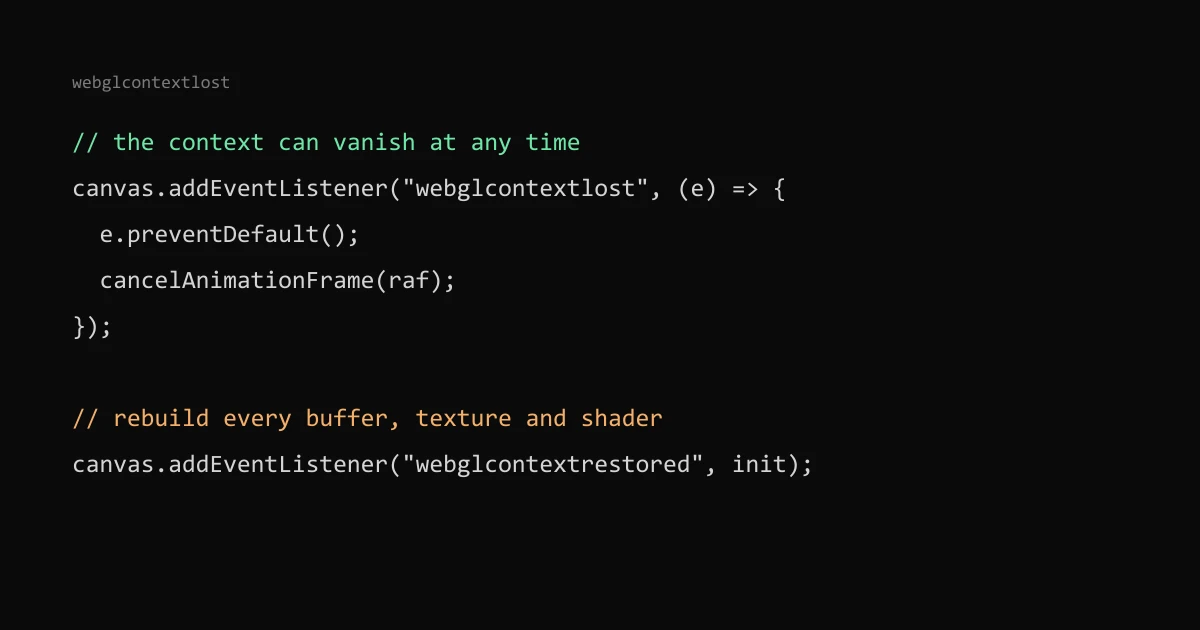
A WebGL context can disappear while the page is open, and every buffer, texture and shader made with it goes too. To survive that, listen for webglcontextlost on the canvas, call event.preventDefault() so the browser is allowed to give the context back, stop drawing, and rebuild everything when webglcontextrestored fires.
I handle this in Event Horizon, a ray-traced black hole. Below is the pattern I use there and how to test it without waiting for a phone to misbehave.
Why a context gets lost#
The GPU is shared. A browser can take a context back when a driver resets, when too many contexts are open at once, when the system runs short of GPU memory, or when a mobile browser suspends a background tab. You do not choose the moment, and the page gets no warning.
MDN says the event fires when the user agent detects that the drawing buffer of a context has been lost. It does not bubble, so the listener goes on the canvas itself.
What breaks after the loss#
Once the context is lost, WebGL calls stop doing anything. The WebGL specification says methods check a context-lost flag and return null or a default value instead of running, and getError() returns CONTEXT_LOST_WEBGL once. Your render loop keeps running, draws nothing and throws nothing, so the canvas freezes on its last frame or goes blank.
The restore does not bring your old objects back. MDN's page for the restored event says textures and buffers created before the loss "are no longer valid" and that you need to reinitialize state and recreate resources.
The pattern#
let raf = 0;

canvas.addEventListener("webglcontextlost", (e) => {
  e.preventDefault(); // without this the context is never restored
  cancelAnimationFrame(raf);
});

canvas.addEventListener("webglcontextrestored", () => {
  createResources(gl); // programs, buffers, textures, framebuffers
  raf = requestAnimationFrame(frame);
});
People miss the preventDefault() call. If you do not cancel the event, the context stays lost for good; cancelling it tells the browser you can rebuild, so it may restore the context later.
Keep everything needed to rebuild in plain JavaScript: shader sources, geometry arrays or the URLs to fetch them, texture images and the current settings. If your only copy of a mesh was uploaded to the GPU and dropped on the CPU side, you cannot recreate it.
What I do in Event Horizon#
Event Horizon does not wait for webglcontextrestored. The handler calls preventDefault(), cancels the animation frame, marks the scene dead and shows a button in the example's own style that reads "Relight the black hole". Clicking it bumps a counter that the React effect depends on, so the effect tears down and builds a fresh renderer on the same canvas.
I chose that over automatic restore for two reasons. The ray tracer is heavy, and if the browser dropped the context because the GPU was struggling, restarting on its own can cause the same loss again in a loop. A visible message also tells the visitor what happened instead of leaving a frozen frame. The cost is one extra click after a tab wakes up.
The cleanup guards against a dead context too: it only calls the renderer's dispose when isContextLost() returns false, because deleting objects on a lost context does nothing useful.
Three.js#
Three.js WebGLRenderer listens for both events on its canvas and rebuilds its internal GL state on restore. Textures, geometries and render targets are uploaded again the next time they are used, as long as their CPU-side data still exists. If you set texture.image to null or drop source arrays to save memory, those objects come back empty, so keep the source or reload it in a restore handler. React Three Fiber renders through the same WebGLRenderer, so the same rule applies. Check this against the Three.js version you use, because the renderer internals change between releases.
How to test it#
The WEBGL_lose_context extension simulates both events, which is how MDN's examples trigger them:
const ext = gl.getExtension("WEBGL_lose_context");
ext.loseContext(); // fires webglcontextlost
setTimeout(() => ext.restoreContext(), 1000); // fires webglcontextrestored
Run this from the console while the scene is animating. Check that the loop stops, nothing throws, the fallback or message appears, and after the restore the scene comes back with its textures. In Three.js, renderer.forceContextLoss() and renderer.forceContextRestore() call the same extension.
The WebGL Report tool lists the extensions and limits of the current browser. If context creation fails outright, which is a different problem, my post on why a WebGL hero can tank PageSpeed covers the fallback for that case.