Which meta tags matter for SEO
The meta tags Google reads, the ones it ignores such as keywords, and the short head every page needs: title, description, robots, canonical and viewport.
· 4 min read
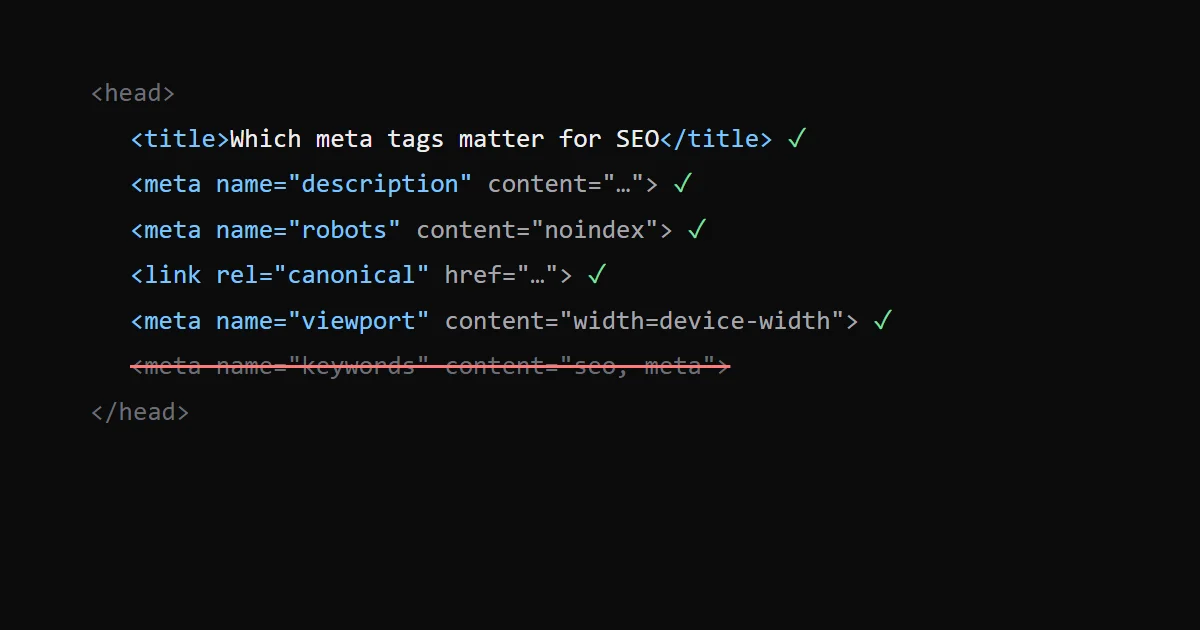
Google reads a short list of meta tags: description, robots and googlebot, viewport, charset, google-site-verification, refresh and rating. It ignores the rest, including keywords. Add the <title> element and a canonical link and you have every tag in the head that affects how a page is indexed and shown in search.
Google keeps the full list on Meta tags and attributes that Google supports.
The title element#
<title> is not a meta tag, but it is the most important line in the head. Google uses it as the main source for the title link in results, along with the visible h1, og:title, anchor text from links to the page and WebSite structured data, per its title link documentation.
There is no length limit. Google truncates title links "typically to fit the device width", so keep the unique part first. On this blog the title field is capped so that it stays at 60 characters or fewer with the site suffix, and the page h1 uses the same words, so Google has no reason to rewrite it.
The description#
<meta name="description" content="One or two sentences that say what the page answers." />Google may show it as the snippet, but it can also write its own from the page text when that matches the query better. The description is not a ranking factor; it decides whether someone clicks. Write a different one for each page. Every page on this site passes its description through one helper that trims it to fit, and the same text goes into og:description and the X card.
robots and googlebot#
<meta name="robots" content="noindex, follow" />robots applies to all crawlers, googlebot to Google only; when they conflict, the more restrictive rule wins. Leave the tag out on pages you want indexed: indexing is the default. Use noindex for pages that should not show up in search, such as thank-you pages or internal search results.
Two common confusions:
noindexin the meta tag andDisallowin robots.txt do different things. ADisallowstops crawling, so Google never sees the meta tag and the URL can still appear in results without a snippet. To remove a page from results, let it be crawled and servenoindex. My robots.txt generator builds the crawl rules; robots.txt for AI crawlers covers the AI bots.- Snippet controls live here too.
max-snippet,max-image-previewandmax-video-previewset how much of the page Google may show. This site sendsmax-image-preview:large,max-snippet:-1andmax-video-preview:-1to Googlebot, which allows large image previews and full snippets.
The canonical link#
<link rel="canonical" href="https://example.com/blog/meta-tags/" />A link, not a meta, but it belongs on the same checklist. It tells Google which URL to treat as the main one when the same content is reachable through several, for example with and without a trailing slash, or with UTM parameters. Use an absolute URL and point every page at itself unless it is a duplicate. Each page here gets a self-referencing canonical, and translated pages add hreflang alternates, which I covered in hreflang for a two-language site.
viewport and charset#
<meta charset="utf-8" /> <meta name="viewport" content="width=device-width, initial-scale=1" />Google indexes the mobile version of a page, and its documentation says the viewport tag signals that the page is mobile friendly. charset should be the first thing in the head, and UTF-8 is the one Google recommends. Most frameworks, Next.js included, add both for you.
Tags Google ignores#
keywords. Google says it "has no effect on indexing and ranking at all". It stopped using it in 2009 because of keyword stuffing. This site still emits one from the Next.js metadata; it costs a few bytes and does nothing for Google.langin place of real text. Google detects the language from the content, not from thelangattribute. Keeplangon<html>anyway: screen readers use it to pick a voice.rel="next"andrel="prev". Google lists both as unsupported.authorandrevisit-after. Not on the list, so Google ignores them.
Social tags are a separate job#
Open Graph (og:title, og:description, og:image) and the X card tags do not change rankings. They decide how the link looks when someone shares it in Slack, LinkedIn, X or a chat app. The image rules are in Open Graph images: size, format and tags.
Write and check them#
The meta tag generator writes the title, description, Open Graph and X tags, previews the search result and the share card, flags lengths, and can read the tags already on a page you paste in. For the structured data that goes next to them, the schema markup generator builds JSON-LD; what Google needs for articles is in BlogPosting JSON-LD.